








Car Dashboard
Configure a simple, safe dashboard for your Android Automotive display
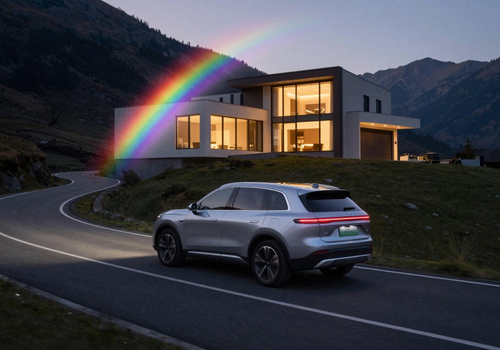
Car Dashboard puts a small, safe remote control for your Homey Pro on the built-in display of cars running Android Automotive OS (Volvo, Polestar, Renault, GM, Honda and others with Google built-in). This is not Android Auto: nothing runs on your phone. The car talks straight to your Homey.
This app is the Homey half. Its settings page is where you decide what the car is allowed to see and do. The car half is a separate app on Google Play, currently in invitation-only testing.
WHAT YOU CAN DO FROM THE CAR
Home tab: a grid of large tiles you pick in Homey. Garage door, gate, front door lock, alarm, charger, temperature, power. Tiles show live state and toggle with one tap.
Lights tab: your lights grouped by Homey zone. On/off per light and per zone, level screen for dimmers.
Scenes tab: the Homey Flows you choose, as one-tap buttons.
Arrival and departure alerts: the car watches a geofence around your home. Leave with the garage open and the car shows a Close button. Arrive with it closed and you get an Open button. Optional.
WHAT YOU CONFIGURE HERE
Tiles, lights and scenes are whitelists. The car only receives what you put on them.
Pairing: generate a one-time code in these settings, type it in the car. Codes expire in 5 minutes, work once, and lock after 8 wrong attempts. Each paired car gets its own token you can revoke.
Fleet: every paired car appears with its name, online status, model, Android version, app version and last-seen time.
PERMISSIONS
homey:manager:api is used to read the states of the devices you whitelisted and to start the Flows you whitelisted. homey:manager:geolocation provides your home coordinates for the car's geofence. Nothing is sent anywhere except between your car and your Homey.
Requires a car with Android Automotive OS and Google Play. Support and tester invitations: see the Homey Community topic.
지원
이 앱에 문제가 있습니까? 개발자에게 문의하려면 여기를 클릭하세요..
새로운 기능
버전 1.4.19 — Store description refined per App Store feedback; the Cars tab install guide links the Google Play test pages directly.
Car Dashboard
 이 앱으로 Homey 전체를 관리할 수 있습니다.
선택하신 Homey에 Car Dashboard이(가) 호환되지 않습니다.
 Car Dashboard이(가) 곧 Homey에 설치됩니다.
업데이트 로그
Gonçalo Barradas 님에게 고맙다는 인사를 전해드리겠습니다!
Gonçalo Barradas 님께 앱을 잘 사용하고 있다고 알려주세요.
제안이 전송되었습니다.
제안을 보내주셨다고 Gonçalo Barradas 님에게 알리겠습니다.
Africa


Asia


Europe

 Belgium
Deutsch English
 Bulgaria
 Croatia
 Cyprus
 Czech Republic

 Estonia
 Finland


 Greece

 Hungary
 Iceland
 Ireland

 Latvia
 Lithuania

 Malta
Malta
 Moldova
 The Netherlands


 Portugal
 Romania
 Slovakia
 Slovenia


 Türkiye
 Ukraine
 United Kingdom


