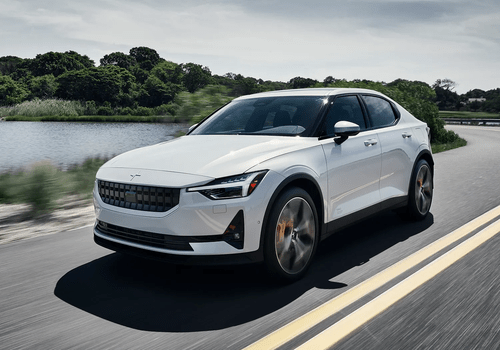
Hello, Polestar Owner!
The Polestar app for Homey connects your car to your smart home via the same
cloud backend the official Polestar mobile app uses. Sign in once with your
Polestar ID and you're set — Homey handles authentication and keeps your
vehicle data fresh.
WHAT YOU CAN SEE
- State of charge, range, charging status (plugged in, charging, paused, idle)
- Charging power, current and voltage while a session is running
- Lifetime charging kWh, current-session kWh, total driving kWh
- Odometer and trip meters
- Interior temperature, climate target and minutes remaining
- Central lock status; per-door, per-window, trunk, hood, sunroof and charge-
port open alarms
- Tyre pressures (all four wheels, kPa) and tyre-pressure warning
- Service warnings, days and distance to next service
- Last known GPS coordinates
- Available software update state and version
WHAT YOU CAN CONTROL
- Lock and unlock the car
- Unlock the trunk only
- Honk horn, flash lights, or both — to find the car in a parking lot
- Start and stop charging (overrides the scheduled timer)
- Set the charge limit (50-100%) and, where supported, the charging amperage
- Start parking climatization with a chosen target temperature, per-seat
heating (front left, front right, rear left, rear right) and steering-wheel
heating
- Stop climatization
- Open or close all side windows (where supported)
All controls are available as tiles on the device page AND as flow actions
with explicit arguments for flexible automations. Conditions cards let flows
branch on lock state, charge limit, and amperage limit.
PRIVACY AND SAFETY
A master switch in device settings disables every write command instantly —
useful while servicing the car or if an automation misbehaves. Optional
features the car reports as unsupported are removed from the UI
automatically (e.g. the amp-limit slider on Polestar 4).
Enjoy the road with Polestar and Homey.
자세히 읽기 ›