Widget Forge

Flow- and tag-driven independent widgets

Attenzione! Questa app potrebbe non funzionare correttamente.

Questa app è in fase di test e non è mai stata recensita. Potrebbe non funzionare come previsto.
Fai molta attenzione quando installi questa app.
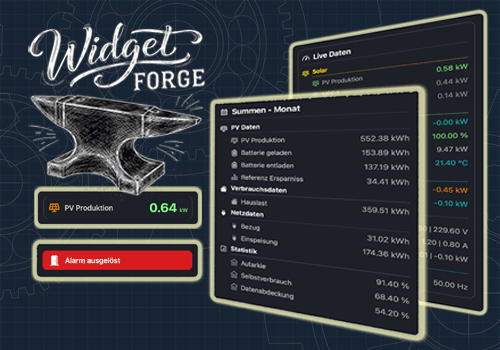
« Torna alla versione normale

Flow- and tag-driven independent widgets

Leggi di più ›

Schede dei Flow

Poi...

Widget Forge
Clear Big Data Block Widget ID
i
Clears all lines of the selected Big Data Block widget.
Widget Forge
Clear styled list Widget ID
i
Clears all lines of the selected Styled List widget.
Widget Forge
Set data line Line in Big Data Block Widget ID: Title = Value Unit (Factor, Invert sign, Icon, Title color, Icon color, Value color, Title size, Value size)
i
Sets one line of the selected Big Data Block widget as data line. Factor and invert also work with values like 191 | -11 | -166.
Widget Forge
Set spacer line Line in Big Data Block Widget ID: Pixels px
i
Sets one line of the selected Big Data Block widget as spacer line with a defined height in pixels.
Widget Forge
Set big display Widget ID: Title = Value Unit (Factor, Invert sign, Icon, Title color, Icon color, Value color, Background color, Title size, Value size)
i
Sets the full content of the selected Big Display widget. Factor and invert also work with values like 191 | -11 | -166.
Widget Forge
Set separator line Line in styled list Widget ID (Thickness, Style, Separator color)
i
Sets one line of the selected Styled List widget as separator line.
Widget Forge
Set spacer line Line in styled list Widget ID: Pixels px
i
Sets one line of the selected Styled List widget as a spacer line with a configurable height in pixels. Empty or invalid values default to 10 px.
Widget Forge
Set title line Line in styled list Widget ID to Text (Style, Text size, Icon, Icon position, Text color, Icon color, Separator, Separator thickness, Separator style, Separator color, Opacity)
i
Sets one line of the selected Styled List widget as title line.
Widget Forge
Set value line Line in styled list Widget ID: Text = Value Unit (Factor, Invert sign, Style, Text size, Icon, Icon position, Data color, Text color, Icon color, Opacity)
i
Sets one line of the selected Styled List widget as value line. Factor and invert also work with values like 191 | -11 | -166.

Widget

Puoi aggiungere i widget di questa app alla dashboard oppure alla schermata iniziale nell’app mobile.

Big Data Block
Big Data Block
Big Display
Big Display
Styled List
Styled List

Supporto

Hai un problema con questa app? Contatta lo sviluppatore inviando un’email.

Novità

Versione 1.1.0 — Added the Big Data Block widget with new Flow Cards, spacer lines, frame options, color settings, value formatting, and realtime updates.

Visualizza il changelog

Widget Forge

Widget Forge non è compatibile con l’Homey selezionato.

Widget Forgeverrà installato a breve su Homey.
Installa