
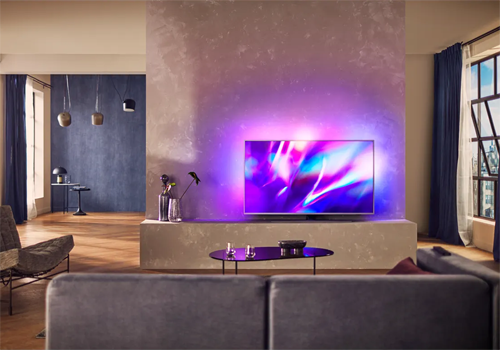
Philips TV

Control and monitor your Philips TV

Read more ›

Supported devices

Flow cards

Click on a device above to show related Flow cards only.

When...

Philips Television
Turned on
Philips Television
Turned off
Philips Television
The volume changed
Philips Television
AmbiHue changed
Philips Television
Ambilight changed
Philips Television
Ambilight mode changed
Philips Television
An app was opened
Philips Television
Source changed
Philips Television
Screen turned on or off
Philips Television
The app App was opened
i
Works well when you open the app via Homey. Can be less reliable when the TV has to detect the app switch itself.

And...

Philips Television
Is turned on
Philips Television
App is open
Philips Television
Source Source is active
Philips Television
Screen is on

Then...

Philips Television
Turn on
Philips Television
Turn off
Philips Television
Toggle on or off
Philips Television
Turn the volume up
Philips Television
Turn the volume down
Philips Television
Mute the volume
Philips Television
Unmute the volume
Philips Television
Toggle muted volume on or off
Philips Television
One channel up
Philips Television
One channel down
Philips Television
Set the volume to %
Philips Television
Set relative volume %
i
Change the volume with respect to the device's current volume.
Philips Television
Next
Philips Television
Previous
Philips Television
Open app App
Philips Television
Open Google Assistant with Input
Philips Television
Turn the screen off
i
Turns only the screen off, not the TV itself - audio keeps playing. Not supported on every Philips TV.
Philips Television
Turn the screen on
Philips Television
Select source Source
Philips Television
Send key Key
Philips Television
Turn AmbiHue State
Philips Television
Turn Ambilight State
Philips Television
Set Ambilight mode as Mode
Philips Television
Switch to channel Channel

Support

Having an issue with this app? Contact the developer via the developer website.

What’s new

Version 3.8.0 — Pairing fixes for several TV models: 2016 Android TVs now connect over the correct port, TVs whose HTTPS service is off are paired over HTTP, and PIN errors now explain what went wrong instead of silently asking for a new PIN. A switched-off TV no longer shows as unreachable, so it can be woken up again. Source switching shows a clear message on TVs that don't support it, and the diagnostic report now explains what its results mean.

View changelog

Philips TV

Philips TV is not compatible with the selected Homey.

Philips TV will install on Homey shortly.
Install App