








Control 433 MHz devices via Google Home with Homey
433 MHz devices don’t connect directly to Google Home. Most 433 MHz devices, such as simple remote-controlled plugs, switches, blinds, or doorbells, are not smart by themselves and can’t communicate with Google Home.
To control 433 MHz devices using Google Home, you need a smart home hub that can send 433 MHz radio signals and make those actions available to Google’s platform.
Homey acts as that bridge, exposing 433 MHz devices to Google Home.
Homey stays in control of sending radio commands. Google Home becomes an additional way to trigger those actions.
What is the difference between 433 MHz and 434 MHz?
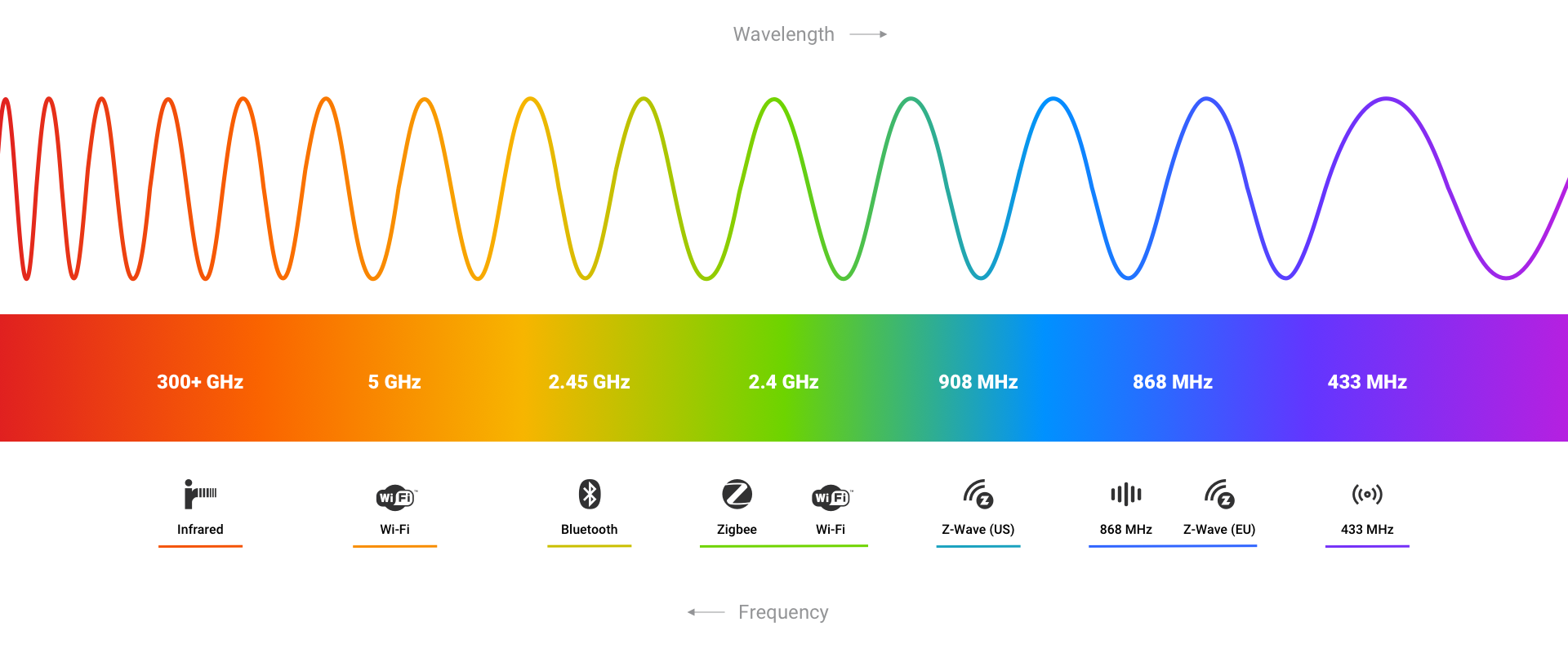
In smart home contexts, “433 MHz” is commonly used as a shorthand term for a wider radio frequency range known as the 433–434 MHz ISM band. This band is used by many low-power, short-range devices such as remote controls, wireless switches, doorbells, and simple sensors.
Some manufacturers or retailers refer to their products as 434 MHz devices, but in practice these devices usually operate within the same 433–434 MHz frequency range and use the same underlying radio technology. The difference is typically one of naming, not functionality.
For smart home users, this means:
- Devices labeled 433 MHz and 434 MHz usually work in the same way
- They are controlled using the same type of radio signals
- They are supported identically by hubs like Homey
In short, 433 MHz and 434 MHz are not competing standards. They describe slightly different parts of the same radio band, and in everyday smart home use they can be treated as the same category of devices.
What you need
To control 433 MHz devices via Google Home, you need:
- A Homey Pro with built-in 433 MHz support or a Homey Bridge, in combination with Homey Pro mini, Homey Cloud or Homey Self-Hosted Server.
- One or more 433 MHz devices configured in Homey
- A Google account and the Google Home app
433 MHz devices are set up in Homey by learning or selecting the correct radio signals.
What “exposing devices” means for 433 MHz
When Homey exposes a 433 MHz device to Google Home, it does not expose a real device with live communication.
Instead, Homey exposes the 433 MHz-controlled product as a smart home device in Google Home. The controls of that device trigger radio commands.
This means:
- Homey sends 433 MHz radio commands on your behalf
- The 433 MHz device does not report its status
- Google Home cannot check whether a command succeeded
Google Home sends a command to Homey, and Homey sends the radio signal.
A simple way to think about it is that Homey turns 433 MHz actions into smart home controls.
How to expose 433 MHz devices to Google Home with Homey
Exposing devices to Google Home starts in the Google Home app. You don’t need to re-pair your 433 MHz devices or change how they’re connected.
The process works like this:
- Pair 433 MHz devices with Homey
Make sure the 433 MHz devices you want to use are already added to Homey and working correctly. - Link Homey in the Google Home app
Open the Google Home app, go to add/setup, choose Link a service, then Works with Google, select Homey, and allow Google to access your Homey account. - Sync devices to Google Home
After linking, Google Home imports your Homey devices automatically. - Exclude devices you don’t want to show in Google Home
In the Homey app, you can choose which devices should not be exposed to Google Home. Any excluded device won’t appear (or will be removed after the next sync).
After this, your 433 MHz devices are available in Google Home without additional pairing steps.
How the connection works
Behind the scenes, the setup works like this:
- Google Home sends a command
This can be a voice command or an action in the Google Home app. - Homey receives the command
Homey interprets the request as a 433 MHz action. - Homey sends a radio signal
The 433 MHz device receives the command but does not send feedback.
What you can do in Google Home
Once exposed, 433 MHz devices typically appear as simple controls, such as:
- On and off actions
- Open and close commands
- Basic trigger actions
You can:
- Use Google Assistant voice commands
- Trigger actions in the Google Home app
- Include 433 MHz actions in Google Home routines
What to keep in mind
A few important points:
- 433 MHz devices do not report their current state
- Google Home cannot verify whether a command worked
- If someone uses the original remote, Homey won’t know
- Advanced logic and assumed state handling stay in Homey
Use Google Home to trigger actions and Homey to manage logic and consistency.
In short
433 MHz devices can’t connect directly to Google Home and don’t report their status.
Homey exposes 433 MHz actions by sending radio commands on your behalf and making them available in Google Home.
Homey stays in control of the radio signals and Google Home becomes an easy way to trigger them.
Discover more about Homey by connecting additional devices through the Homey App Store. Control them with the Homey App and create your own automations with Flows and Advanced Flows. Monitor your smart home using Dashboards, and gain deeper understanding with Homey Energy and Insights.
Smart home technologies and platforms supported by Homey
Smart homes often use multiple wireless technologies and platforms. As a powerful smart home hub, Homey supports a wide range of communication standards, including Zigbee, Z-Wave, Matter, Thread, KNX, 433 MHz, Wi-Fi, Bluetooth and Infrared.
Homey also integrates with popular smart home platforms such as Amazon Alexa, Google Home and Apple Home. By combining multiple technologies and platforms in one system, Homey allows devices from different ecosystems to work together in one flexible smart home setup.


