








Thread Border Routers & Network Design with Homey
What a Thread Border Router Really Is
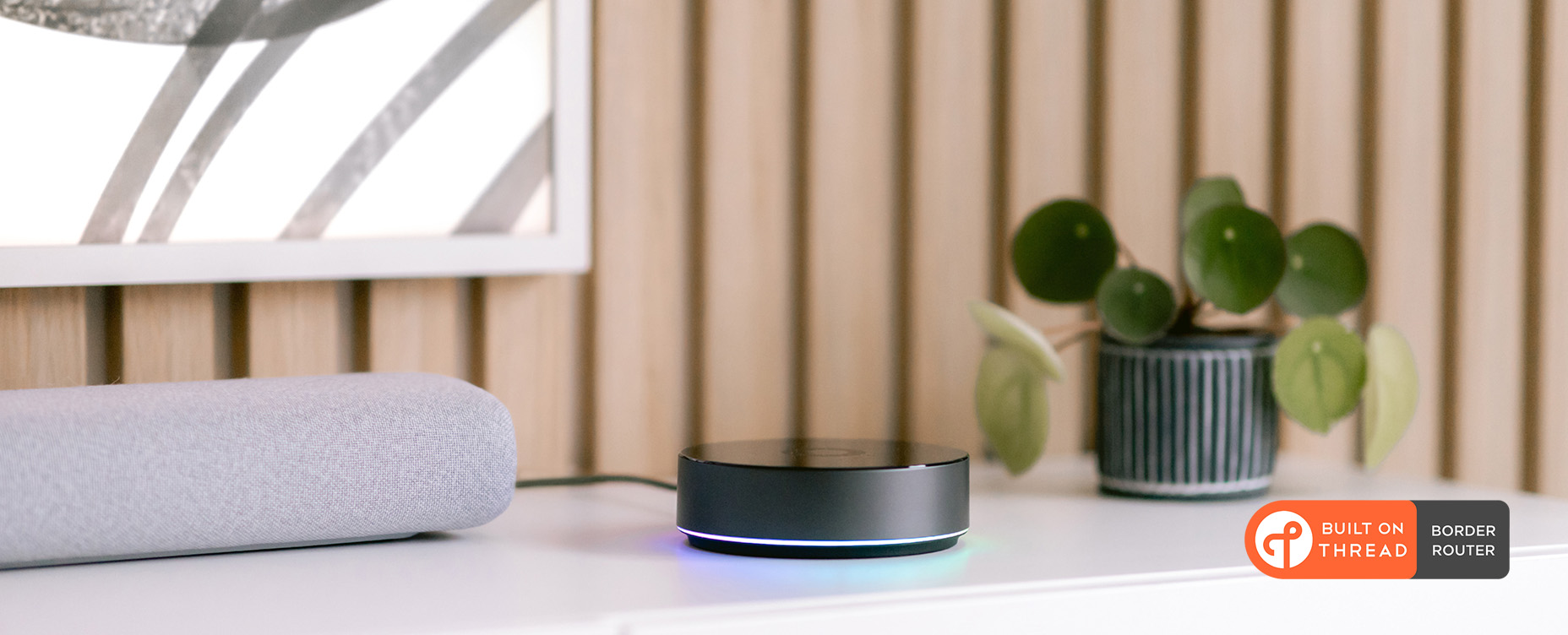
The name Thread Border Router sounds like something pulled straight from a networking textbook, but in a smart home it’s far more approachable than it seems. A Thread Border Router is simply the device that links your home’s Thread mesh to your regular IP network — the same Wi‑Fi or Ethernet your phones, laptops and Homey Pro already use.
Think of it as a bilingual guide. On one side, it speaks Thread’s low‑power 802.15.4 radio with IPv6 and mesh routing. On the other hand, it speaks the familiar language of your home network. Homey Pro and Homey Pro mini take on this job automatically. They create or join a Thread network, route traffic between that mesh and the rest of your LAN, and handle the onboarding of Matter‑over‑Thread devices without needing any manual configuration from you.
You don’t need to understand or tune routing tables, pick channels, or adjust the mesh by hand. You place Homey sensibly, start adding devices, and Thread takes it from there.
How Devices Organize Themselves Inside Thread
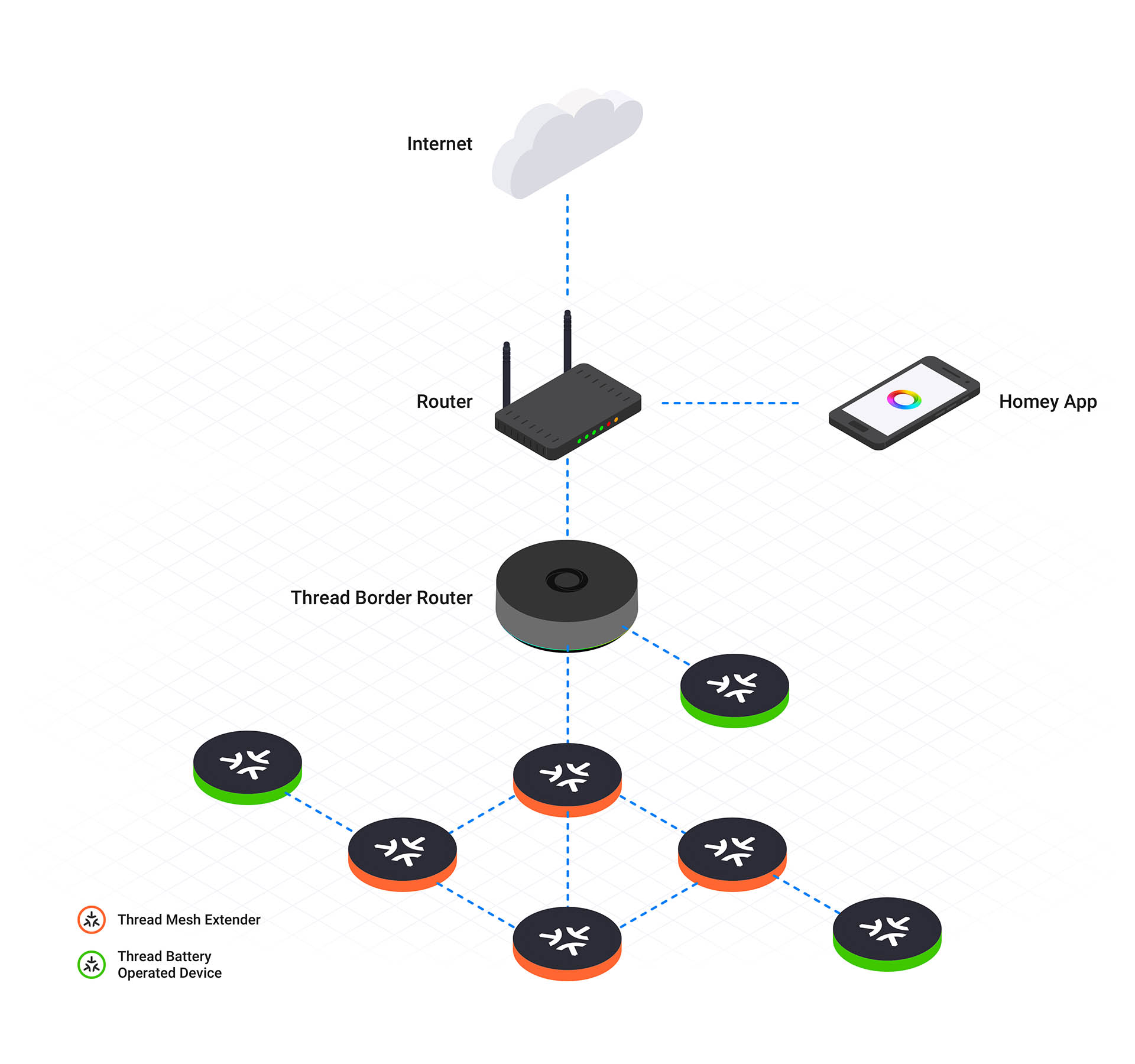
Inside a Thread network, every device takes on a specific role to ensure smooth operation. The Leader manages network configuration and assigns router addresses, a title that transfers automatically if the device fails. Routers act as the backbone, forwarding data packets between devices to extend coverage throughout the home. End Devices are battery powered sensors that connect to a single parent router, allowing them to enter deep sleep and save power.
The Thread Border Router bridges this internal mesh with your Wi-Fi or Ethernet network. Homey Pro or Homey Pro mini serve as the main TBR gateway, but additional Border Routers like smart speakers can provide backup paths for data. This redundancy ensures that your devices remain reachable even if one connection point goes offline.
What is remarkable is how dynamic this system is. If one router disappears because you unplugged a smart plug during renovations, others take over instantly. There is no single point of failure, and you never have to define a master device. The mesh heals itself long before you even notice something changed.
Designing Your Thread Network Around Homey
Thread doesn’t require you to design a network in the same way you plan Wi‑Fi coverage or Zigbee channel layouts. Still, good physical placement makes everything work better. Position Homey Pro or Homey Pro mini somewhere open and reasonably central, rather than tucked into a cabinet or hidden behind thick walls. With a bit of breathing room, Homey can communicate clearly with nearby devices and act as a strong Border Router.
As you begin adding Thread devices, remember that powered devices such as smart plugs or in‑wall modules form the backbone of the mesh. They act as routers, extending coverage and strengthening connectivity across floors and rooms. A Thread network built only on battery sensors will feel fragile and laggy, because those sensors aren’t meant to route traffic. Give your mesh a few solid “pillars,” and it will repay you with reliability.
Finally, you should pair your battery powered end devices like temperature sensors in their actual installed location. This allows them to identify and connect to the best available parent router immediately. Establishing the correct path right from the start prevents the device from wasting energy trying to reach a distant signal and ensures the mesh remains stable.
Why Multiple Border Routers Are Beneficial
Thread differs from older protocols because it relies on multiple Border Routers working together. It is standard for devices like Homey Pro and a HomePod mini to act as gateways for the same network simultaneously. They do not compete for control. Instead, they provide redundant paths for data to move between the Thread mesh and your local Wi-Fi.

If one Border Router goes offline, the network automatically routes traffic through another one. This ensures that your devices stay connected to the internet even if a specific hub fails. While the setup process can sometimes be tricky regarding Matter credential sharing between brands, the protocol itself is built to treat multiple Border Routers as a single resilient infrastructure.
Living Alongside Zigbee and Wi‑Fi
Thread shares the 2.4 GHz spectrum with Zigbee and Wi-Fi, but that does not automatically mean interference problems. Thread and Zigbee operate on their own 802.15.4 channels, while Wi-Fi uses a different channel scheme altogether. In most homes, devices select suitable channels automatically and coexist without any tuning.
Good placement still matters. Give radios some physical separation, avoid stacking hubs and access points on the same metal surface, and let Homey handle the network logic. In normal conditions, that is enough.
If you genuinely notice interference or instability in a crowded RF environment, the simplest fix is often on the Wi-Fi side. Moving your 2.4 GHz Wi-Fi network to channel 1 can reduce overlap with common Zigbee and Thread channels and quickly calm things down, without touching your Thread setup at all.
Conclusion: Homey Makes Thread Simple
Building a Thread network with Homey doesn’t require deep networking knowledge. Simply place Homey Pro or Pro mini thoughtfully and let your smart home hub do the work. Add a few mains‑powered Thread devices so the mesh has strong routing points. And embrace the fact that you may have multiple Border Routers if you also use Apple or Google devices.
Thread’s job is to quietly keep everything connected, heal itself when devices appear or disappear, and give each node a secure, IP‑based path back to your home network. Your job is simply to add devices you love — and start using them in Flows.
FAQ – Thread Border Routers & Network Design
Can Homey be my only Thread Border Router?
Yes. Homey Pro or Pro mini can be the only Border Router in your home.
What happens if my other Border Router (e.g. HomePod) is offline?
The Thread mesh remains available via Homey. Matter devices can still talk through Homey’s Border Router.
Can too many Border Routers cause problems?
The spec supports multiple, but immature firmware combinations can misbehave. In practice, keeping your main controllers updated mitigates most issues.
Do Thread devices still work if Homey loses internet?
Yes. The Thread mesh and Homey’s local control keep working. You just lose cloud services and remote access.
How many Thread devices can one Homey handle?
Thread is designed to support hundreds of nodes per mesh when properly provisioned with routers. Homey’s practical limit will be more about overall system load than Thread itself.
Is there any reason to place Homey next to my Wi-Fi router?
Only if that’s also a sensible central location. RF-wise, it’s often better to give some physical separation.
Can I see Thread topology in Homey?
Homey doesn’t expose low-level Thread routing maps; it focuses on devices and capabilities. For deep diagnostics you’d use vendor or platform tools.
Glossary – Thread Network Design Terms
Border Router
A node that connects a Thread mesh to a larger IP network, routing IPv6 packets between the two worlds and providing services like address configuration.
Router (Thread)
A node that forwards traffic for other Thread devices, maintains routing and child tables, and helps form the mesh.
End Device
A Thread node that doesn’t route for others, often battery-powered and allowed to sleep to conserve energy.
Leader
A special Thread router role that coordinates certain network functions. The leader is elected automatically and can change as needed.
Mesh Topology
A network architecture in which nodes work together to forward traffic, providing multiple paths between any two points.
Partition
A segment of a Thread network that is temporarily operating independently. Partitions can merge when connectivity is restored.
Commissioning
The process of securely onboarding a new device onto a Thread and/or Matter network, assigning credentials and configuration.
Channel Planning
Choosing RF channels to minimize interference between overlapping networks (Thread, Zigbee, Wi-Fi) in the same band.


