




What is Matter?
There's a lot of talk about Matter nowadays. Endorsed by many big names, including Google, Amazon, Apple, IKEA, Somfy, and Homey, it aims to unify the smart home. But what is it exactly? How does this smart home technology work, and what does it do?
Matter at a Glance:
- Communication standard for smart home devices.
- 1.0 version launched on October 4, 2022, after being postponed twice.
- Standardized set of commands, so devices from different manufacturers can talk to each other.
- Runs on top of IP networks, using either Thread, Wi-Fi, or Ethernet.
- Uses Security by Design and Zero-Trust.
- Runs locally – typically connects to the cloud via a Matter hub.
- Exists alongside other smart home standards like Zigbee, Z-Wave, and 433MHz.
- Battery life and range dependent on wireless networking technology.
- Coordinated by a Matter hub, like Homey Pro, Homey Pro mini or Homey Self-Hosted Server, all certified as Matter 1.5 controllers by the Connectivity Standards Alliance
What is Matter?
Matter is a communication standard designed to unify the smart home industry by allowing smart devices from different brands to talk to each other. Basically, devices that 'speak Matter' communicate using a shared, secure, local language understood by every participant. Unlike previous technologies, Matter is not a radio networking technology itself, but instead it is a set of standardized commands sent over local IP networks in your smart home.
Matter uses Thread, Wi-Fi and Ethernet as the underlying communication technologies, while Bluetooth is primarily used for pairing and commissioning devices to your Matter controller. Splitting the networking and app layers sets Matter apart from technologies like Z-Wave and Zigbee, which integrate the two.
Why Matter Matters?
Matter is no longer an emerging technology. It became an established foundation rapidly unifying the smart home market today. Its primary significance lies in solving the historical problem of platform fragmentation. The standard ensures that devices from any major manufacturer (be it Aqara, Govee, Nanoleaf, or Google) will work seamlessly with all major smart home ecosystems.
Matter significantly enhances the user experience through its mandatory focus on local control. By communicating directly within the home network via Wi-Fi and Thread, devices achieve faster response times and greater stability. They maintain core functionality even during internet outages, improving overall reliability.
Finally, Matter provides a critical bridge between old and new technology. Many established manufacturers, such as Philips Hue, use their existing hubs as Matter Bridges. This allows millions of older Zigbee devices to be immediately integrated and controlled by modern Matter controllers, ensuring you do not have to replace your entire setup just to support Matter.
Choosing Matter-certified products today means investing in a stable, fast, and future-proof smart home where all components speak the same language. This is why Matter is important: it is not replacing your smart home — it is adding a universal, local, future-proof layer on top of what already exists.
Matter Basics: How It Works
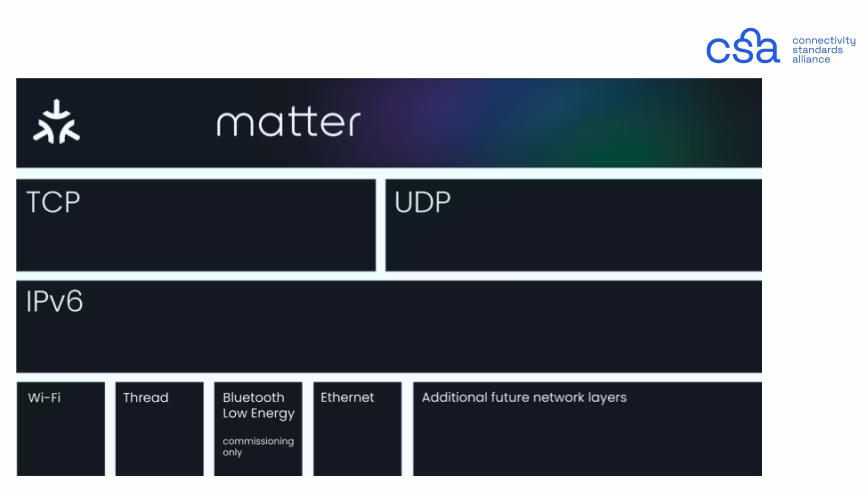
Matter is a standard for the application layer. It uses the Internet Protocol (IPv6) on the Network layer and User Datagram Protocol (UDP) & Transmission Control Protocol (TCP) on the Transport Layer. Matter runs on top of Thread (IEEE 802.15.4), Wi-Fi / WLAN (IEEE 802.11), and Ethernet / LAN (IEEE 802.3).
Great! How about some English?
Matter devices can use different technologies to communicate. These can be either wired (Ethernet) and wireless (Wi-Fi, Thread). As noted above, This is different from Zigbee or Z-Wave, which combine the physical, networking, and application layer in one standard (called full stack).
All of these networks are local, which means they are governed and controlled within your home. Most Matter hubs include a bridging option to the internet for remote access and control. It's important to note that Matter devices cannot always simply talk to each other. While Ethernet and Wi-Fi devices are generally on the same network, Thread devices form a different network. A Thread border-router is needed to bridge the gap between Thread and LAN devices in a smart home.
Thread itself is a low-power and low-latency wireless mesh networking technology. It uses IP, which is why Matter can run on it. Thread is a relatively new technology, that has been built on the foundations of Zigbee. Thread can be found in battery-operated devices requiring the highest energy efficiency like motion sensors and door locks or simple mains-powered devices like smart plugs or light bulbs.
In short:
- Matter devices can easily talk to each other thanks to their unified application layer.
- Matter can use Thread, Wi-Fi and Ethernet as physical communication layer.
- Not all of these communication layers are automatically compatible with each other (LAN vs Thread).
- Matter devices on Thread make use of Mesh networking.
Matter’s architecture means fast responses, strong reliability, and the potential to scale across many device types over the coming years.
What is Mesh Networking
A mesh network is essentially a network where multiple devices in the network take on the role of a router, or repeater. Rather than only sending signals back to the coordinator, they repeat signals and forward them to the other network devices within range. These, in turn, can relay the signals further. This 'signal-hopping' gives mesh networks more range and more reliability than traditional 'star networks'. These networks expand automatically when you add more devices. Together, they build a stronger and more reliable network.
Matter devices only are part of a mesh network if they use Thread as their wireless technology. Devices using Wi-Fi and Ethernet do not create a mesh network and simply communicate with your router.
What’s in a Matter Network?
Matter networks utilize different types of device roles. In total, we can differentiate between five different types of devices.
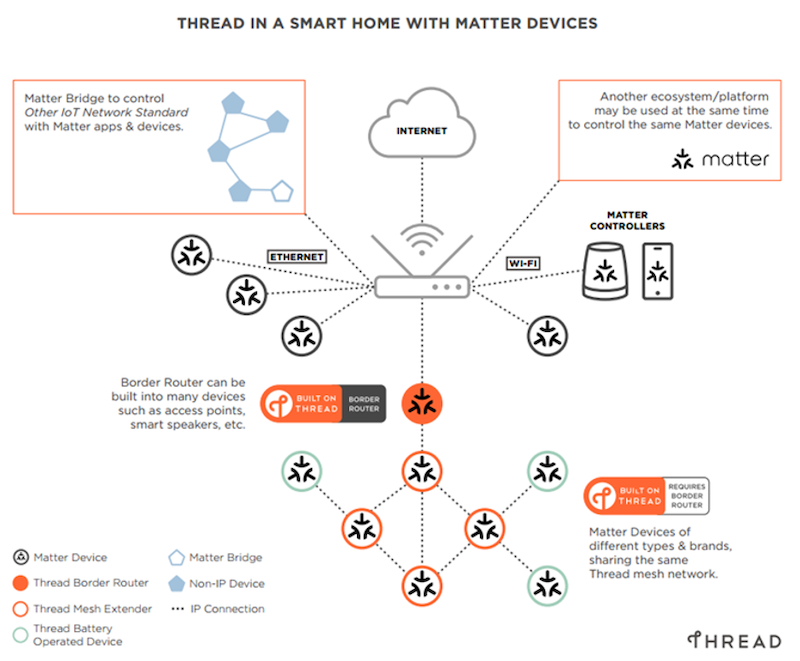
1. Matter Hub: the Coordinator of a Matter Setup
Every network needs a central point. That's the role of the Matter hub. You need at least one to set up your Matter network, although you can have more. Some Matter hubs are also Thread Border Routers, like Homey Pro or Homey Pro mini, but they don't have to be.
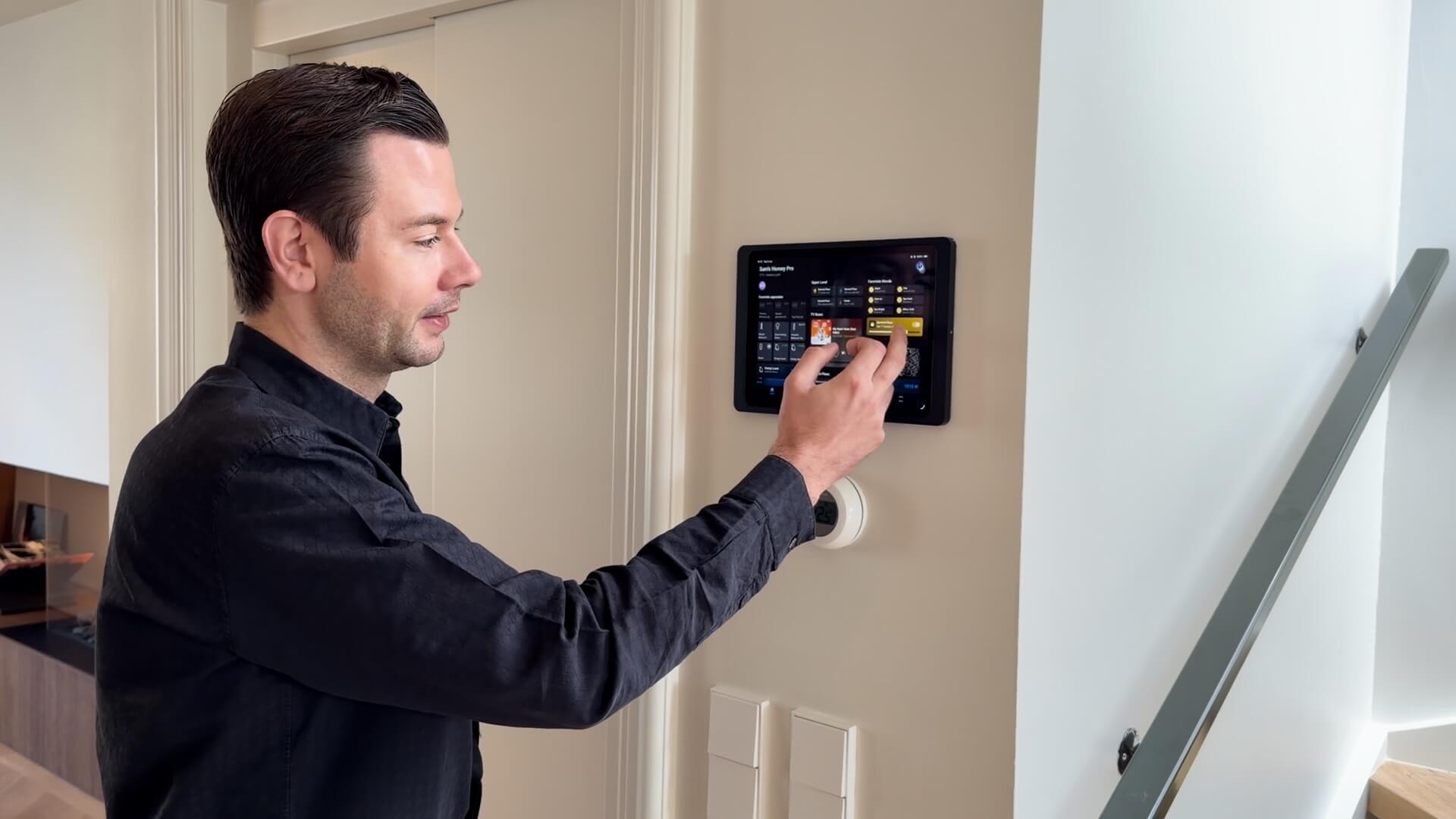
The Matter hub is the brains of your network. The coordinator can connect smart devices, set permissions, allow other devices access, and coordinate your network. The Matter hub also delivers the interfaces you use to control your Matter network. This can be an interface for automation, like Homey Flow, Energy data like Homey Energy and Homey Insights, or a simple a control interface. The Matter hub is also the gateway to the internet for the Matter network. And some smart home hubs, like Homey Pro, connect your Matter devices to devices that use other protocols, like Zigbee, Z-Wave, Infrared or 433MHz.
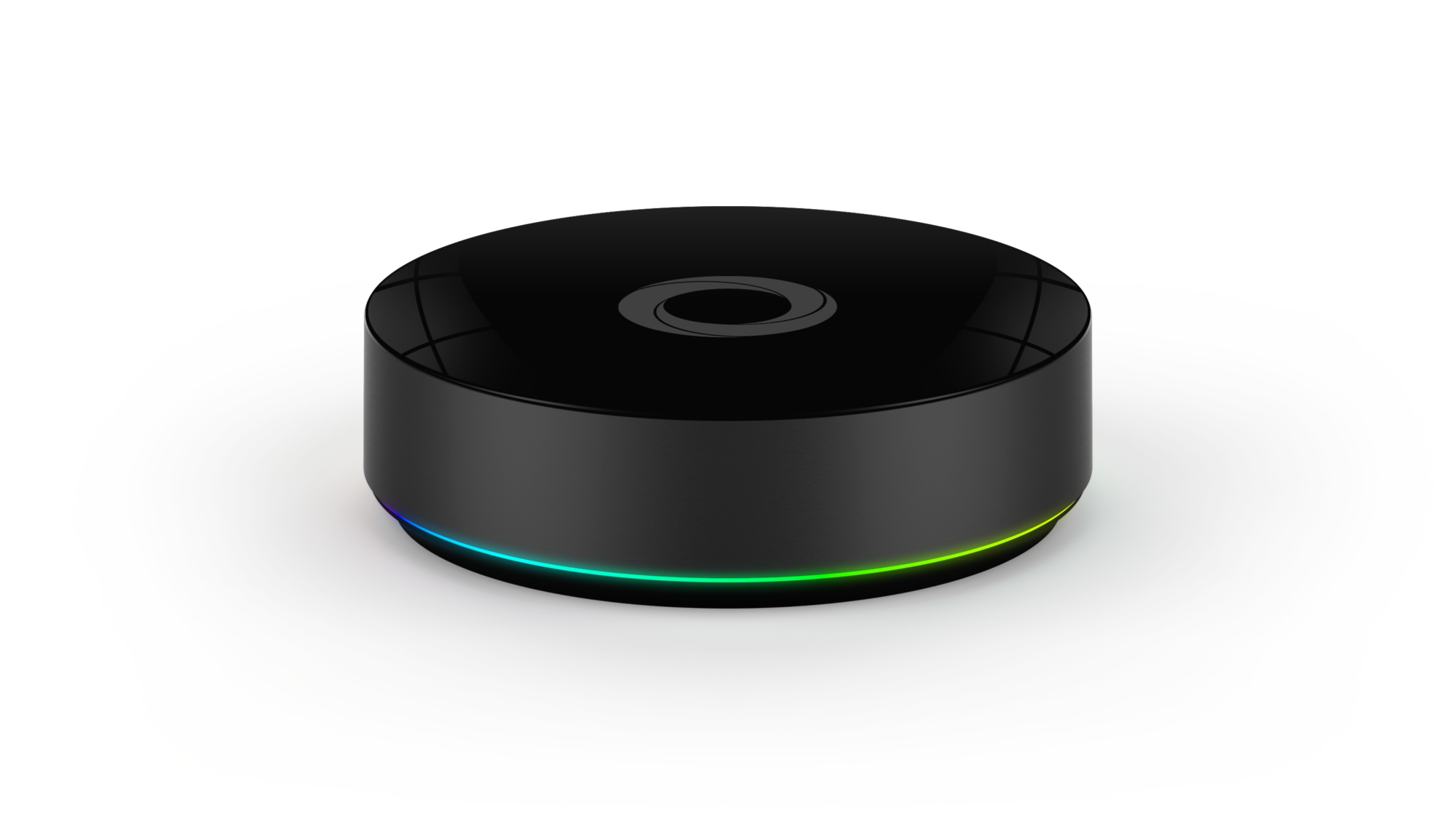
2. Thread Border-Routers: Bridging LAN and Thread
Briefly mentioned before – not all Matter devices can automatically talk to each other. This has to do with the fact that LAN, which is your home network running on Ethernet and Wi-Fi, is a different network than Thread.
They work fundamentally different. Thread is a mesh network built for low power consumption and bandwidth, while Wi-Fi is a star-topology network built for high bandwidth (and higher power consumption).
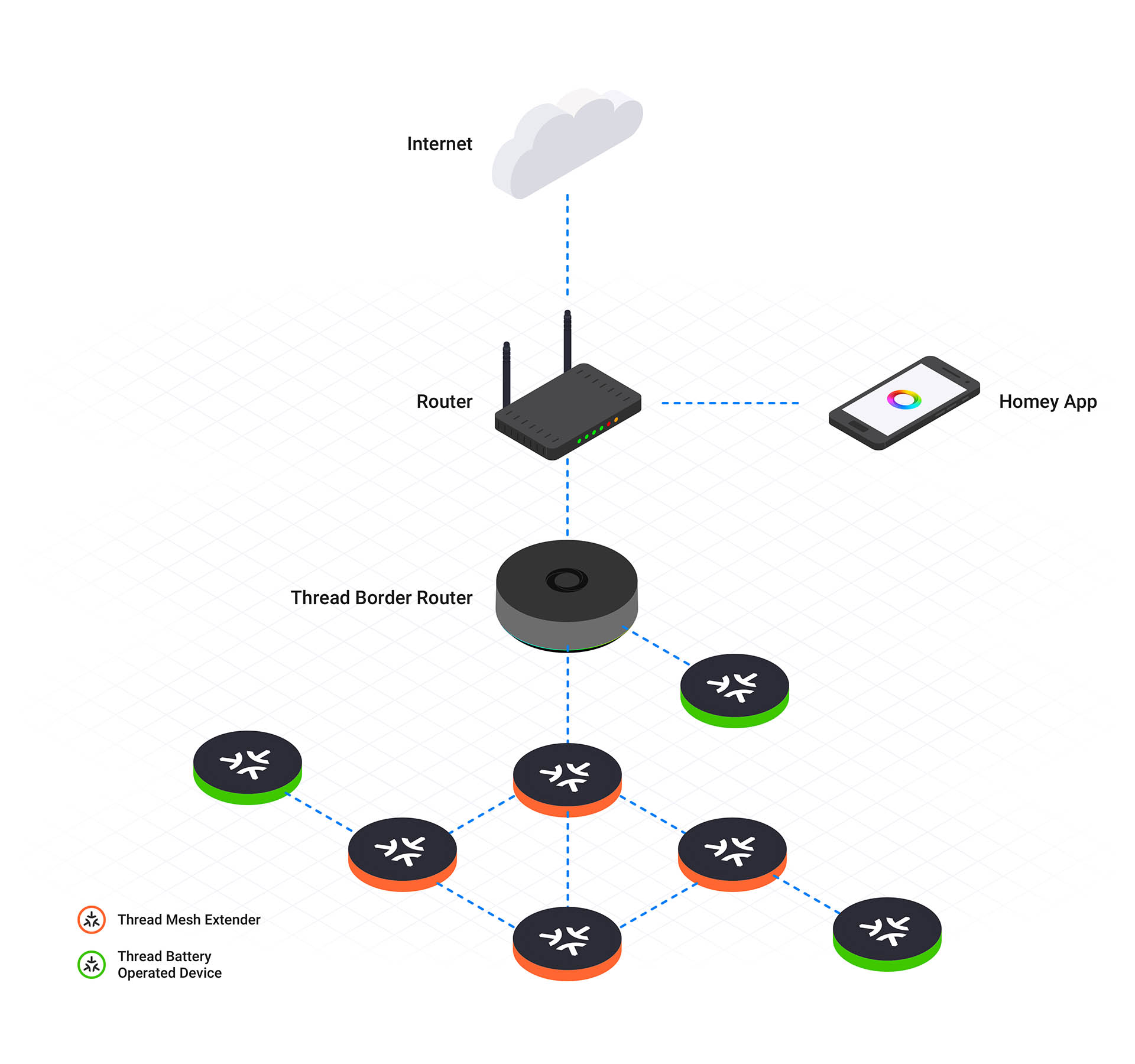
To make Matter LAN and Thread devices talk to each-other, we need a bridging device that can translate between the two. This device is known as Thread border-router. It 'speaks' both LAN (Ethernet or Wi-Fi) and Thread, is mains-powered and can relay signals back and forth between the two networks, bridging the gap.
Sometimes, a Matter hub is also a Thread border-router. Homey Pro and Homey Pro mini include a built-in Thread Border Router and connect Matter-over-Thread devices to their own Thread network directly.
3. Matter Wi-Fi and Ethernet Devices
Matter devices are all devices that can be controlled using Matter, and can connect to your LAN network, either Wi-Fi or Ethernet. They do not repeat any signals or participate in the mesh network, as they do not 'speak' Thread.
Despite the fact that Matter is a local protocol, Matter devices that are on your Ethernet or Wi-Fi network might also connect to the internet using that network. This is then additional to their Matter capabilities. For instance, an Philips Hue Bridge, which is a Matter Device on your local LAN, can also connect to Philips Hue's servers.
4. Thread Mesh Extenders: Mains-Powered Thread Devices
Thread Mesh Extenders are similar to 'routers' in a Zigbee or Z-Wave network. These devices are mains-powered, so they do not run on batteries, and they act as mesh extenders to repeat Thread signals. They talk to all other devices in range on the network and repeat the network signal. Thread Mesh Extenders only 'speak' Thread, not Wi-Fi or Ethernet. That's why they also cannot connect to the internet themselves.
5. Thread End-Devices: Battery-powered Thread Devices
These devices are either the destination or source of data transmitted. Often powered by a small battery, this device does not repeat or forward any signals. I.e., this is the end of your network. In most cases, standard Matter devices will either be on LAN (like Wi-Fi) or will be Thread Mesh Extenders. Unless you choose battery-operated devices such as wireless buttons, simple sensors, etc. These are typically end-devices because that allows them to work much longer on one battery load.
Which Devices Support Matter?
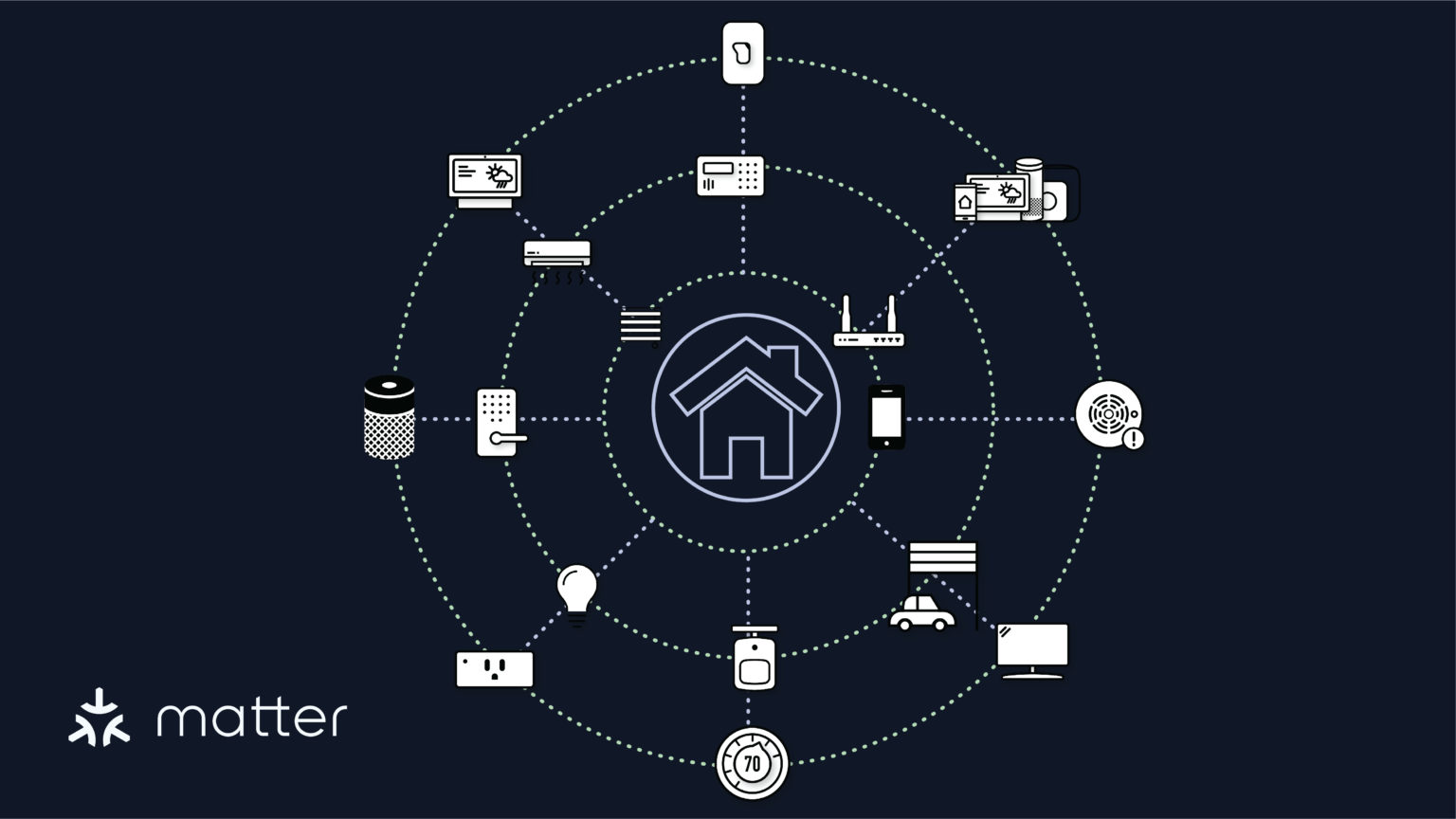
Matter is no longer a brand-new standard; hundreds of devices across dozens of categories are now certified and available, often supporting Matter via Wi-Fi, Thread, Ethernet or through an existing hub (Bridge).
- Lighting: On/Off lights, Dimmable lights, Color Temperature lights, and Extended Color (RGB) lights.
- Electrical/Actuators: Smart Plugs/Outlets, Dimmable Plug-In Units, Wall Switches, Dimmable Load Controls, and Pumps/Water Valves.
- HVAC & Climate: Thermostats, Fans, Air Purifiers, Air Conditioners, and Water Heaters.
- Security & Closures: Door Locks, Window Coverings (Blinds/Shades), Contact Sensors, Motion Sensors, Occupancy Sensors, and Door Lock Controllers (Keypads).
- Sensing: Temperature Sensors, Humidity Sensors, Pressure Sensors, Light Sensors, Flow Sensors, Air Quality Sensors, Water Leak Detectors, Rain Sensors, and Smoke & Carbon Monoxide (CO) Alarms.
- Media: Cameras, Televisions, Basic Video Players, Casting Video Players, Speakers, and Video Remote Controls.
- Appliances: Robot Vacuums, Refrigerators, Dishwashers, Washers & Dryers, Ovens & Cooktops, Microwaves, and Extractor Hoods.
- Energy & Infrastructure: Electric Vehicle Chargers (EVSE), Energy Meters, Heat Pumps, Battery Storage Systems, Solar Power Systems, Thread Border Routers, and Matter Bridges (for connecting non-Matter devices).
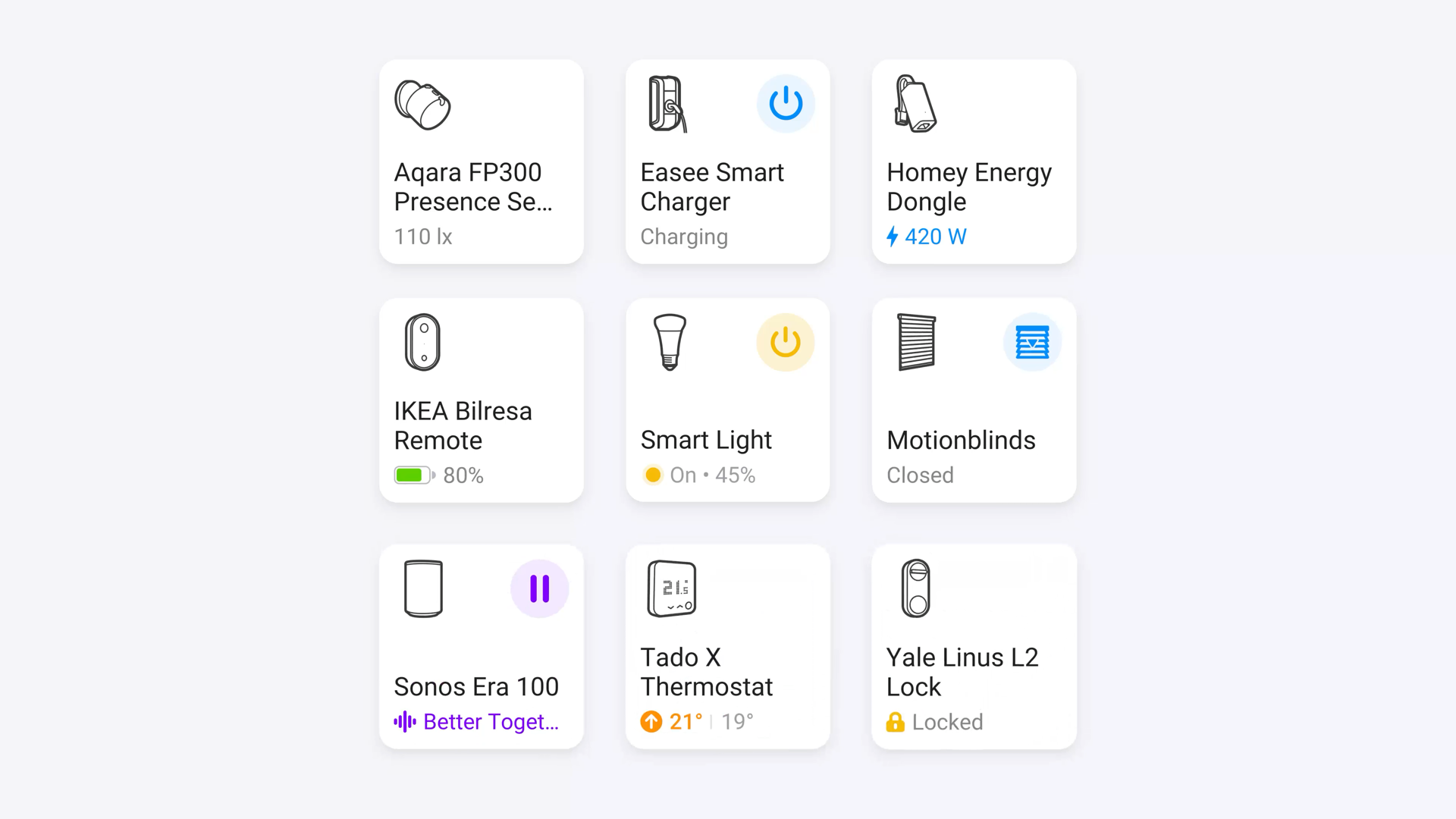
Running Matter 1.5, Homey now supports a broad set of these categories out of the box, including EV chargers, heat pumps, solar panels, major household appliances, robot vacuum cleaners, speakers, sensors and window coverings. Homey plans to expand this list further as new Matter device categories and capabilities become available. Check the full list of supported devices for the current overview.
Devices NOT Fully Supported in Matter
The list of device categories that Matter does not support is now very small. The primary current limitation of the Matter standard is not missing device types, but the lack of standardization for advanced, proprietary features within devices that are supported.
- Manufacturer-Specific Advanced Features: This is the most common limitation. While a device like a smart light bulb works with Matter (on/off, color control), its rich, unique features—such as dynamic lighting scenes, specific energy monitoring data, specialized security modes, or complex appliance diagnostic readouts—are often not exposed to third-party ecosystems via the Matter standard. You still need the original manufacturer's app to access them (e.g., Hue's Entertainment Mode, or advanced thermostat scheduling).
- Security Camera/Video Doorbell Intelligence: While Matter 1.5 officially introduced native support for cameras (including live video/audio streaming and pan-tilt-zoom control), the standard does not handle video analysis or intelligence. This means features like AI-based person/pet recognition or triggering automations based on detected events still rely on the manufacturer's own software and cloud services
- Highly Specialized Systems: Some niche or proprietary multi-component audio/video systems (like specialized multi-room audio) or high-end integrated home security systems (beyond basic locks and sensors) may not yet have complete, feature-rich Matter integration and often rely on their own APIs or protocols for complex functionality.
In summary, almost all physical device categories are now included in Matter, but the richness of the feature set exposed by the standard is often limited to basic functions.
Why Use Matter?
The Matter protocol promises a few good things for smart home users and smart home devices. However, it’s not perfect, or "the absolute best" home automation solution. Matter has its pros and cons. Let's start with the pros.
Interoperability
Most Matter devices work together no matter which brand makes them (mind the LAN / Thread difference though!). However, this only applies to all Matter devices, not to all the other smart home devices on other technologies. This makes the interoperability-claim a bit similar to the same one from Zigbee and Z-wave at the moment. Matter has some momentum and a lot of manufacturers behind it, although the first companies are also dropping out again. Its full interoperability claim has yet to come true as well.
In the end, universal smart home hubs that combine Matter and other technologies will always be the most interoperable. Homey takes this approach directly, bringing Matter devices together with Zigbee, Z-Wave, Bluetooth, Infrared and 433 MHz products, plus brand-specific local and cloud integrations, all in one system.
Security
The Matter protocol uses modern, widely used security practices and protocols such as Security by design and zero-trust. Matter uses AES-based encryption. Devices understand commands only if they are authenticated.
Simplified User Experience
Most Matter hubs, like Homey Pro, feature intuitive interfaces for smart home control and automation. Setup is straightforward too. You can add Matter devices to Homey directly, without installing a brand-specific app first. Homey identifies the device and its available capabilities automatically, while dedicated Homey apps can add extra functionality on top when needed.
Local by design
Matter is a local protocol, making it relatively reliable and fast. Next to that, Matter devices on Thread cannot connect to the internet directly, giving potential attackers one less possible point of entry. Note that this does not hold up for LAN(Wi-Fi/Ethernet)-based Matter devices. Also, Zigbee and Z-Wave devices share the same local features.
Power-Efficient
Because Thread is a part of the Matter protocol, Matter devices can be very power-efficient. Thread end-devices use very little energy when in standby, which greatly reduces electric usage and improves battery life where relevant. Again, the same holds for Zigbee and Z-Wave devices.
Multi-admin Control
Matter supports multiple Matter hubs on a single Matter network. Because of this, users can choose their preferred interfaces and systems, and even use multiple in parallel. This removes the need of unpairing and re-pairing devices to a new system, and adds extra flexibility. One tip: use one main Matter hub for automations, else it can be very hard to keep track why something is happening in your home 😉
Disadvantages
Sounds pretty good, huh? At the same time, it's good to be aware that Matter is not perfect. Some disadvantages to Matter:
Partial/Inconsistent Feature Support
The biggest issue is that Matter often only exposes basic device functions (e.g., on/off, dimming) to third-party ecosystems (like Google Home or Apple Home), while advanced, proprietary features (like energy monitoring, specific color effects, or advanced configuration settings) remain locked in the manufacturer's native app. This forces users to still juggle multiple apps.
Limited Device Categories
While major categories are supported, highly complex devices like security cameras/video doorbells are still being worked on or have only limited functionality, and support for specialized A/V systems or appliances is still lacking.
Thread Network Dependency
Many low-power Matter devices rely on the Thread networking protocol for best performance, which requires a separate device in the home—a Thread Border Router (often built into a hub like Homey Pro or a Nest Hub)—meaning a simple setup is not always plug-and-play for all protocols.
Higher Cost/Limited Retrofitting
New Matter-enabled devices often require more powerful chipsets, potentially making them more expensive than older Zigbee or Z-Wave counterparts. This makes retrofitting older, existing hardware difficult or impossible, forcing users to buy new devices to adopt the standard.
Homey as a Matter Controller
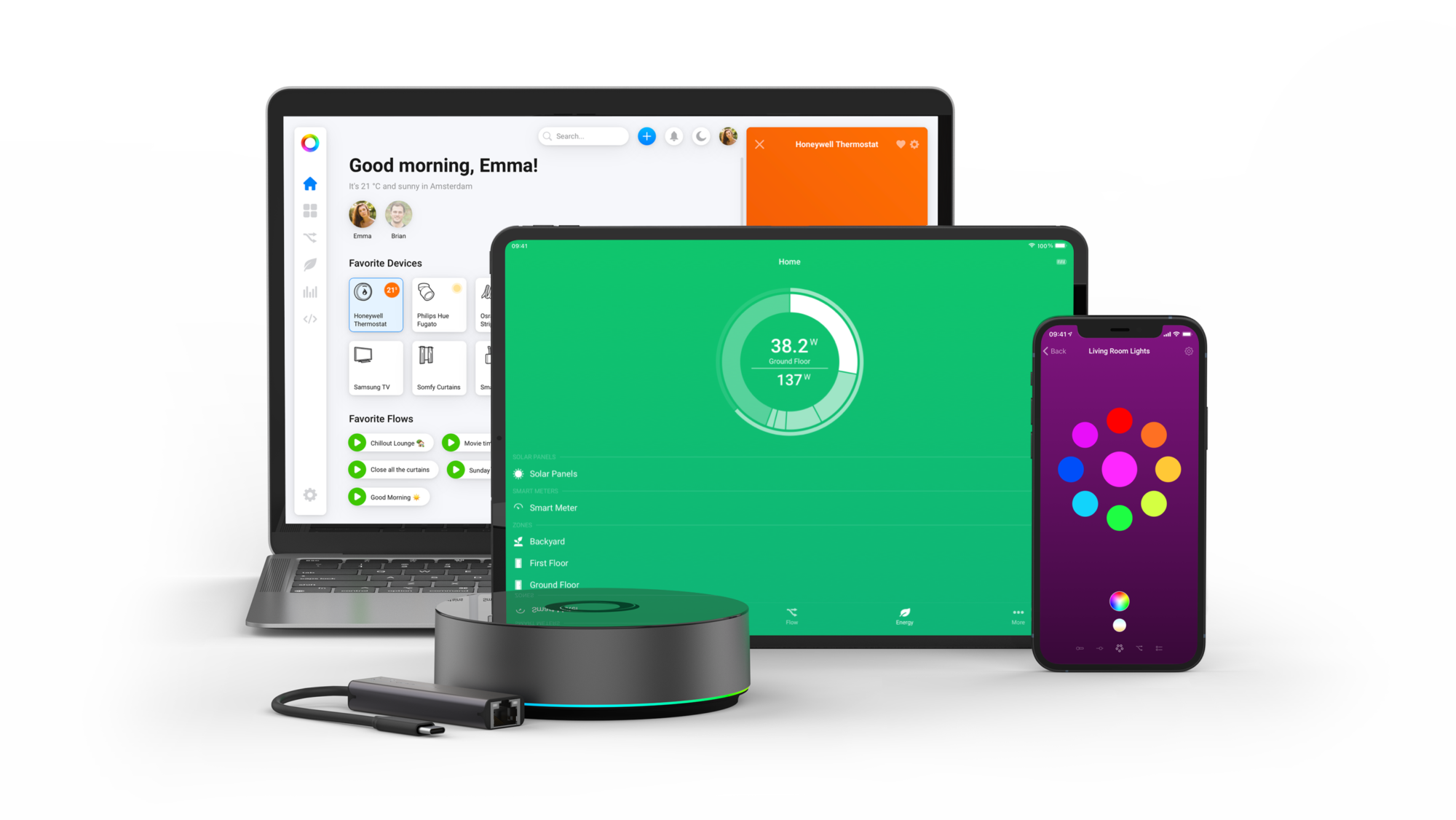
Homey Pro and Homey Pro mini are certified as Matter 1.5 controllers by the Connectivity Standards Alliance (CSA), the organization behind the Matter standard. Our Homey Self-Hosted Server supports Matter as well. Together, these products make Homey one of the most complete Matter hubs available today, supporting eight major smart home technologies, including Zigbee, Z-Wave, 433MHz, Infrared, BLE, Wi-Fi, Thread and, of course, Matter. This positions Homey to bridge today's mixed-technology smart home with tomorrow's Matter-powered world. Full certification details are available on the CSA product page.
You can mix old and new devices, unify automation, and even expose Homey-connected devices to Apple Home, Google Home and other ecosystems via Matter.
Getting Started With Matter
Starting with Matter is relatively easy.
Step 1: Choose a Matter hub. We obviously recommend Homey Pro, Homey Pro mini or Homey Self-Hosted Server, all certified Matter 1.5 controllers. Each one keeps you flexible with other smart home technologies too."
Step 2: Choose your Matter devices. Start small, with a simple smart plug or a light bulb.
Step 3: Setup your hub.
Step 4: Plug in and connect your Matter devices.
Conclusion
Matter is no longer solely a promise. It is a maturing, cross-industry connectivity standard with widespread backing from the world’s largest technology companies. While the initial version was limited, Matter has since released several major updates, expanding its supported categories to cover the vast majority of common smart home devices, from lighting and thermostats to appliances and robotic vacuums. Hundreds of certified products are now available on the market, using existing robust technologies like Wi-Fi and Ethernet, along with the efficient new mesh network protocol, Thread.
However, the reality is that the smart home space remains diverse. Legacy devices using Zigbee, Z-Wave, and other protocols are still common, and many manufacturers continue to require their own apps to access advanced, proprietary features not yet standardized by Matter. Therefore, while Matter is the essential foundation for future-proofing your smart home, it is one of several important technologies you will encounter.
A truly comprehensive smart home hub, like Homey Pro, features a blend of protocols. The ideal hub or controller for your setup is one that can seamlessly manage and automate devices across all the technologies you choose to use. With Homey Pro and Homey Pro mini now certified as Matter 1.5 controllers by the Connectivity Standards Alliance, Homey continues to bring new Matter devices together with the products people already own.
Smart home technologies and platforms supported by Homey
Smart homes often use multiple wireless technologies and platforms. As a powerful smart home hub, Homey supports a wide range of communication standards, including Zigbee, Z-Wave, Matter, Thread, KNX, 433 MHz, Wi-Fi, Bluetooth and Infrared.
Homey also integrates with popular smart home platforms such as Amazon Alexa, Google Home and Apple Home. By combining multiple technologies and platforms in one system, Homey allows devices from different ecosystems to work together in one flexible smart home setup.
Frequently Asked Questions
Do I need to buy a new smart home hub with Matter?
Maybe. A Matter controller is required for Matter devices, regardless if they use Wi-Fi or Thread. If you own a Homey Pro or Homey Pro mini, you do not need a new one.
What makes Matter different from Zigbee and Z-Wave?
Matter separates the application layer from the radio technology, while Zigbee and Z-Wave are full-stack communication protocols.
Do I need Thread for Matter to work?
No, you can use Matter over Wi-Fi or Ethernet only. However, Thread enables mesh networking for ultra-low-power devices.
Can Wi-Fi Matter devices join a Thread network?
No, but they can communicate over a Thread Border Router like Homey Pro.
Why do some Matter devices still need hubs?
Manufacturers like Philips Hue and IKEA still use Zigbee internally and expose Matter via their hubs.
Are all Matter devices interoperable today?
Only within the Matter spec; cross-protocol devices still need a multi-protocol hub like Homey Pro.
Does Matter replace my existing smart home?
No — it coexists alongside Zigbee, Z-Wave, 433MHz and others.
Is Matter secure?
Yes, it uses Zero-Trust and AES encryption.
Can I run multiple Matter hubs?
Yes — Matter supports multi-admin setups.
Why are Matter devices expensive?
They use new chipsets and certification processes.
Which devices are NOT supported yet?
While Matter supports most smart home device categories, it lacks support for many manufacturer-specific advanced features.
Is Homey Matter 1.5 certified?
Yes. Homey Pro and Homey Pro mini are certified as Matter 1.5 controllers by the Connectivity Standards Alliance. Certification details are available on the CSA product page.
Does Homey Self-Hosted Server support Matter?
Yes. Homey Self-Hosted Server supports Matter alongside Homey Pro and Homey Pro mini.
What changed with Matter 1.5?
Matter 1.5 expands the range of supported device categories. Running Matter 1.5, Homey now supports EV chargers, heat pumps, solar panels, major household appliances, robot vacuum cleaners, speakers, sensors and window coverings, with more categories planned as they become available."


