






KNX vs Wireless: When to Wire and When to Go Wireless
Smart home discussions often sound like protocol wars. Zigbee vs Z-Wave, Matter vs everything, Wi-Fi vs Thread. KNX rarely appears in those debates because it lives in a different category: wired building automation rather than consumer IoT.
Yet the underlying question is always the same. How do you get control signals from sensors to actuators, reliably, for years? KNX and wireless protocols answer that question differently.
Reliability and Determinism
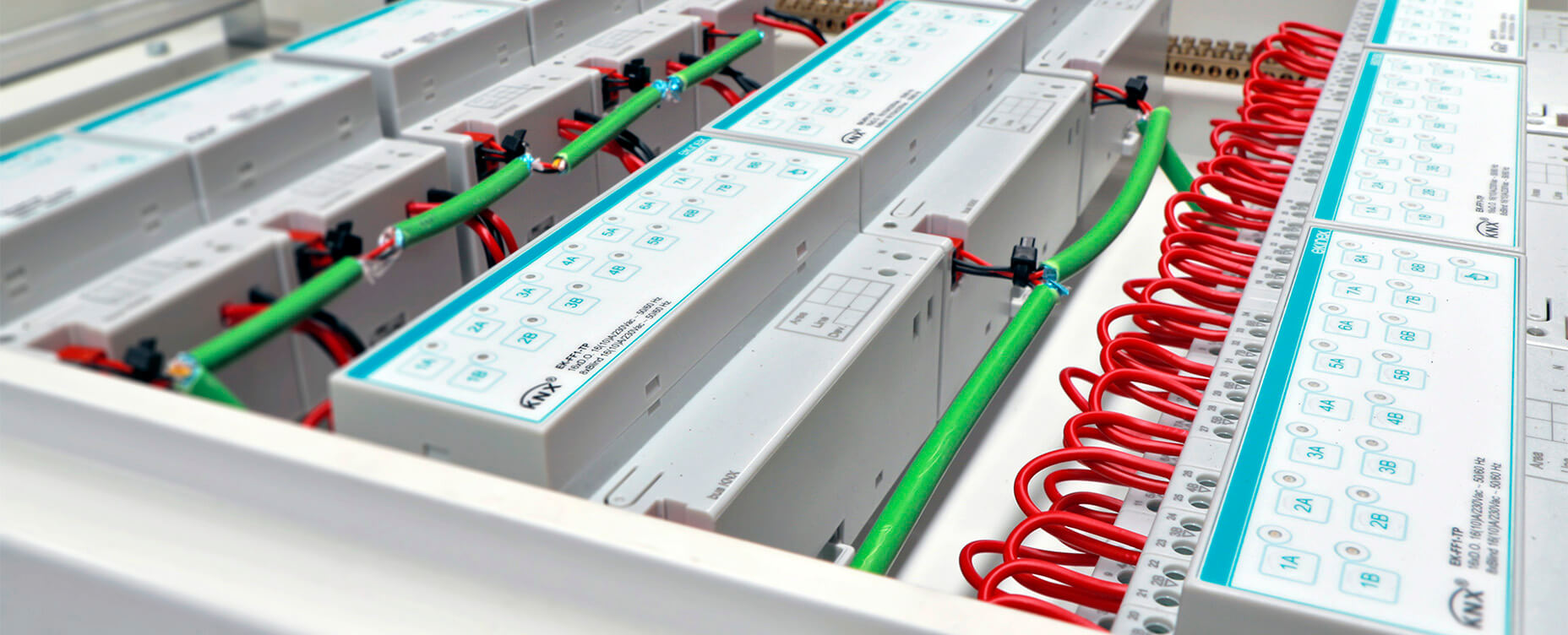
KNX runs on a dedicated twisted pair bus that is purpose-built for control. It does not share the medium with video streaming, voice calls or 2.4 GHz radio noise. Telegrams are small, low-bandwidth and transmitted according to a well-defined collision-avoidance scheme.
Wireless protocols like Zigbee, Z-Wave and Thread are also designed for control, but they share spectrum with other devices, rely on mesh routing where paths can change over time and are more exposed to environmental interference.
In a well-designed installation, both worlds can be very reliable. The difference is that KNX's determinism comes from physical isolation and conservative design, while wireless reliability depends heavily on network planning and radio conditions.
Latency and Real-Time Behaviour
KNX is not real-time in a hard industrial sense, but for building automation it is close enough. Turning on a light on via a KNX switch feels instant and timing jitter is minimal.
Wireless protocols also feel instant for most everyday use cases, but each hop in a mesh adds a small delay and some stacks prioritize energy efficiency over the lowest possible latency. For typical smart homes, these differences are subtle. Where they matter is in mixed criticality scenarios. If you want absolutely deterministic behavior for stairwell lighting or central safety functions, KNX gives you that extra margin.
Installation Effort and Flexibility
This is where wireless protocols win clearly. KNX requires a bus cable to every position where you want sensors and switches, careful planning during construction or a substantial retrofit and professional commissioning with ETS in most cases. Wireless protocols need devices within radio range of the hub and each other, with enough basic planning to cover the home. You can add or move devices later without touching a wall.
For new builds and major renovations, KNX cabling is a smaller problem because walls are already open. For existing homes, pulling KNX bus to every position is often not worth the cost and disruption. This is exactly why hybrid setups make sense: KNX where you can wire easily and want long-term robustness, wireless where you need flexibility or retrofit options.
Ecosystem and Device Diversity
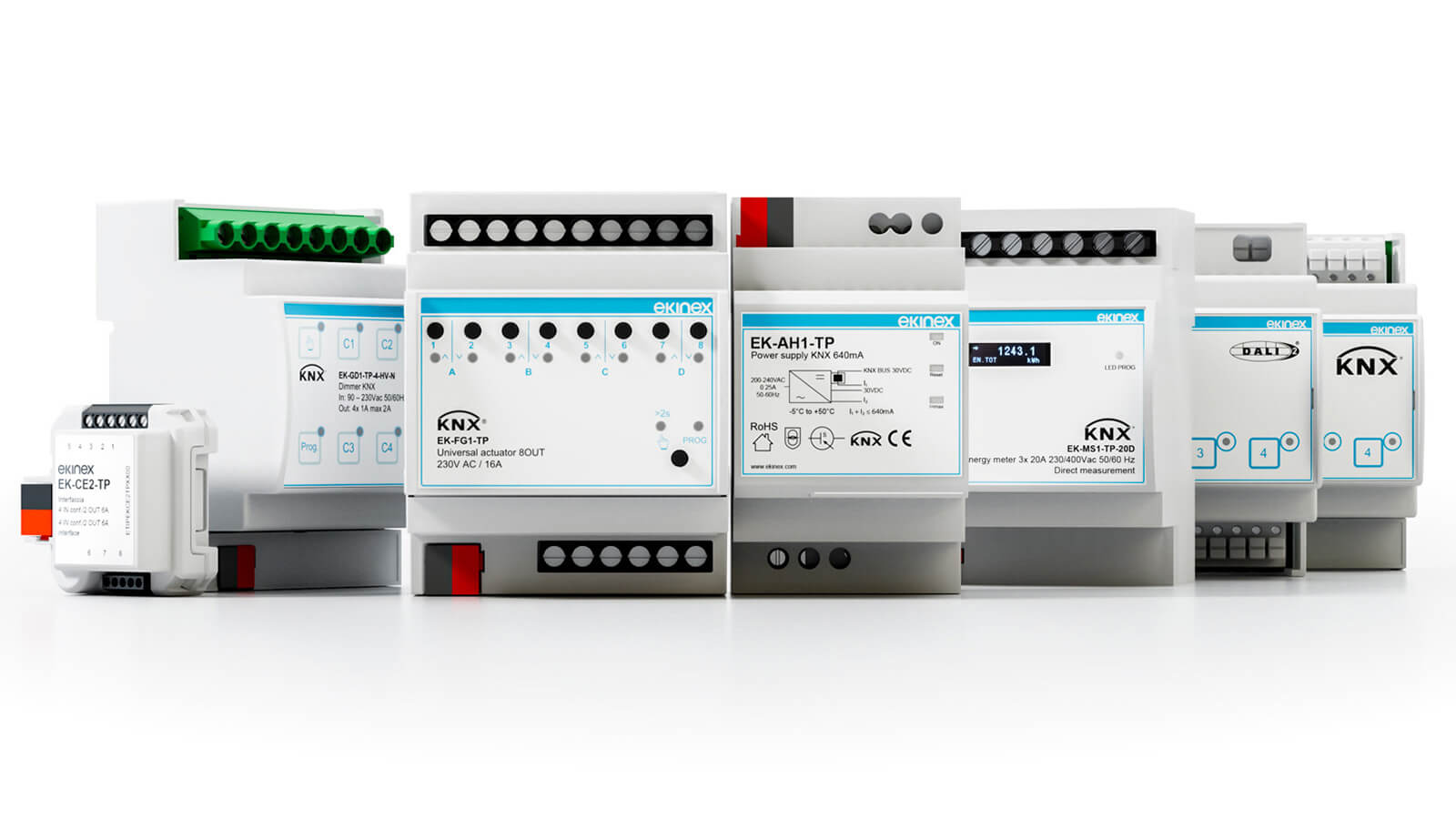
KNX has thousands of certified products, but its strength lies in infrastructure-grade hardware: DIN-rail modules, multi-channel dimmers, HVAC integration, professional keypads and building-scale energy metering. Wireless ecosystems cover a much wider variety of consumer devices: smart bulbs, plugs, sensors, locks, buttons and media devices, with faster product cycles and constant new additions.
In practice, KNX wins for the devices that run your building's core infrastructure. Wireless wins for everything you layer on top of it. A platform like Homey sits in the middle and connects both worlds.
Security
KNX Secure brings modern cryptographic protection to KNX, both on IP and on the twisted pair and RF bus, but it needs to be supported by the devices and correctly configured. Wireless protocols like Z-Wave S2, Zigbee and Thread include authentication and encryption as standard parts of their commissioning and communication models.
For a typical smart home, the meaningful difference is less about wired versus wireless and more about whether someone designed and configured the system securely. A poorly secured KNX IP interface and a poorly secured Zigbee gateway are both weak points. A properly configured hybrid system can be robust regardless of the media it uses.
Cost and Lifecycle
KNX devices generally cost more per channel than consumer wireless alternatives, but they are built for decades of service, often in commercial environments. Wireless devices are cheaper and easier to replace, but they are also more likely to be discontinued and more dependent on vendor apps and cloud services where open standards are not in use.
If you think of your home's infrastructure the way you think about electrical wiring or plumbing, KNX fits that mindset. Wireless is more like the appliances you plug into that infrastructure.
When to Wire and When to Go Wireless
A practical split looks like this for most homes:
- Use KNX for core lighting circuits and switching, shading and facade control, heating, cooling and ventilation actuators and infrastructure-grade energy metering.
- Use wireless for retrofit sensors and switches where cabling is not feasible, smart bulbs and decorative lighting, portable buttons and remotes and consumer devices like speakers, televisions and appliances.
Then use a smart hub like Homey Pro to bring everything together into one system.
The Right Question Is Not KNX or Wireless
The useful question is not "KNX or Zigbee?" It is "Which parts of my home deserve infrastructure-grade wiring, and which parts benefit from wireless flexibility?"
KNX excels at being that infrastructure. Wireless protocols excel at filling the gaps. With Homey connecting both, you do not have to pick a side. You wire what makes sense to wire, go wireless where it is smarter and still end up with one integrated smart home rather than five parallel systems running alongside each other.
FAQ
Is KNX better than Zigbee or Z-Wave?
For infrastructure and long term stability the answer is yes. Wireless wins for flexibility and retrofit ease because it requires no new cabling. These technologies simply solve different problems in the home.
Do I need KNX if I already have a good wireless network?
Not necessarily. KNX becomes compelling when you are building or renovating from scratch. It provides a wired backbone designed to last for decades without the reliability concerns of radio signals.
Can KNX and wireless protocols coexist without issues?
Yes. They do not interfere with each other electrically. A hub like Homey Pro can orchestrate both systems simultaneously to create a unified experience.
Is KNX overkill for a small house?
For some small homes it certainly is. It still makes sense for high end or very structured builds even at a modest scale. The decision usually depends on the budget and the desired longevity of the system.
Are KNX devices always wired?
No. KNX RF exists for wireless extensions when cabling is impossible. It is mostly used in combination with a wired backbone rather than as a standalone replacement.
Is Matter going to replace KNX?
Matter targets IP based interoperability over Wi-Fi and Thread. KNX is a dedicated fieldbus for hardwired control. They are complementary technologies that serve different layers of the smart home.
Can I start with wireless and later add KNX?
Yes. You can add KNX as you renovate specific rooms or build an extension. Homey Pro allows you to keep your existing wireless devices while integrating the new wired hardware.
Is Z-Wave closer to KNX than Zigbee is?
Not really. Both are wireless meshes with their own unique characteristics and frequency bands. KNX is fundamentally different because it relies on a physical bus cable for communication.
Does KNX handle firmware updates and new features easily?
KNX devices can be updated but the ecosystem moves much more slowly than consumer gear. This slow pace is actually a feature in critical installations. It prioritizes long term stability over the latest software trends.
Why do large commercial buildings almost always use KNX instead of Zigbee?
Wired fieldbuses offer predictable behavior and zero RF complexity. They are much easier to design at scale for critical functions like emergency lighting or HVAC. Reliability is the primary driver for these large scale choices.
Glossary
Fieldbus
A fieldbus is a dedicated digital network connecting sensors and actuators in building automation. It is designed for deterministic and low bandwidth control. This ensures that every command arrives at its destination with predictable timing.
Infrastructure-Grade
Infrastructure grade equipment is designed to be a permanent part of the building. These devices are expected to last for decades with minimal changes or maintenance. This contrasts with consumer electronics that often require replacement every few years.
Retrofit
Retrofitting involves adding automation to an existing building without major structural work. Wireless protocols excel in these scenarios because they do not require new cabling behind walls. It is the most practical way to modernize an older home or office.
Commissioning
Commissioning is the formal process of configuring and validating an automation system before it goes live. For KNX projects this involves using the ETS software to assign addresses and parameters. It ensures that every device functions according to the original design.
Interference
Interference occurs when unwanted signals in the same frequency band degrade communication. Wireless systems operating at 2.4 GHz are especially exposed to interference from Wi-Fi and Bluetooth. Wired systems like KNX avoid these issues by using physical cables.
Lifecycle Cost
Lifecycle cost represents the total expense of a system over its entire operational life. KNX often has a higher upfront cost but produces fewer financial surprises regarding maintenance and replacements. Long term durability makes it a wise investment for permanent structures.
Hybrid System
A hybrid system intentionally combines wired and wireless technologies into one network. Homey Pro acts as the central coordinator to ensure these different protocols work together. This approach offers the stability of wires with the flexibility of wireless sensors.


