



Designing Flows for KNX: Turning a Wired Bus into a Smart Home
Once KNX is connected to Homey, you unlock something KNX doesn’t try to do itself: a high-level automation engine that spans multiple technologies. The trick is to design Flows that respect KNX’s strengths while taking full advantage of Homey’s flexibility.
Think of KNX as the muscle and Homey as the brain and nervous system that connects that muscle to everything else.
Flow Basics: Events, Conditions and Actions
In Homey Flows you work with three conceptual pieces:
- When – a trigger (event)
- And – optional conditions
- Then – actions
For KNX devices, typical triggers include:
- A KNX switch being pressed (group address changes)
- A KNX input (e.g. window contact) changing state
- A KNX sensor updating a temperature or lux value
Actions are simply “turn this KNX device on”, “set this dim level”, “move this blind” or “write a value to a KNX group”. The key difference from ETS is that you think in terms of user behaviours and scenarios, not group address wiring diagrams.
Simple Patterns: KNX-Only Flows
The simplest step is to use Homey Flows as a more approachable logic layer for KNX:
- “When KNX motion sensor in hallway is active and it’s after sunset, then turn on KNX hallway lights to 40%.”
- “When I double-press a KNX switch in the bedroom, then turn off all KNX lights on this floor.”
These are things you could do entirely within KNX, but using Homey means your Zigbee, Z-Wave or Matter devices integrate seamlessly with KNX. No ETS sessions are needed for every change and you get more visibility into what triggers what. You can let KNX handle basic local functions, and use Flows for advanced scenes and user-centric behaviors.
Cross-Protocol Flows: Where Homey Shines
The real value shows when you cross protocol boundaries:
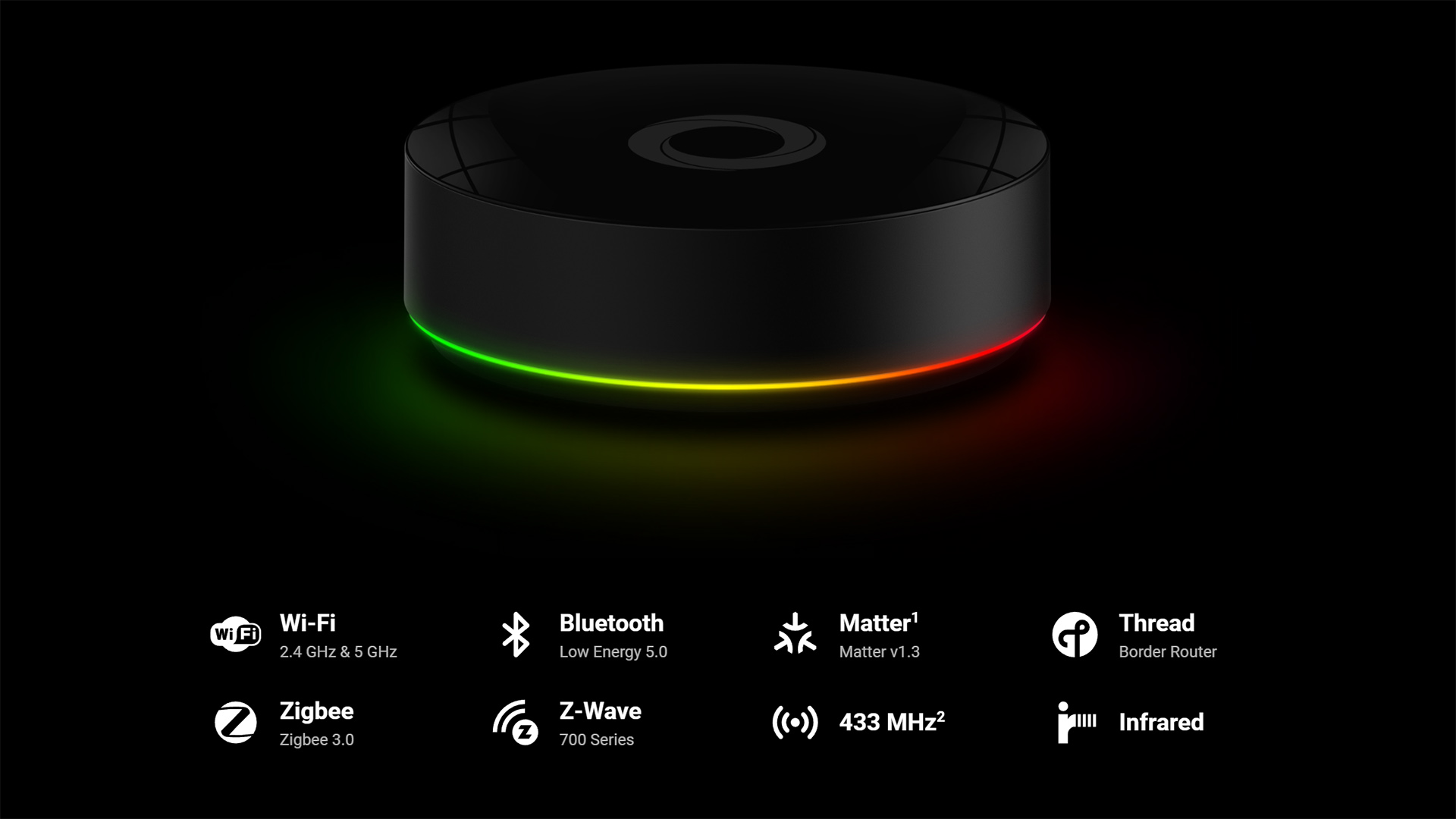
- A Zigbee motion sensor in a hallway can trigger KNX lights and a Wi-Fi speaker.
- A KNX humidity sensor in the bathroom can drive a Zigbee fan switch and a Matter window actuator.
- A Z-Wave door contact on the terrace can turn on KNX garden lights and a 433 MHz plug for decorations.
Because Homey abstracts capabilities, you don’t have to care that the underlying devices run on different stacks. You just say “when this sensor triggers, set that device to this state”.
Advanced Flows: State Machines, Modes and Context
With Advanced Flow, you can build more complex logic for KNX without writing code:
- Global modes such as “Day”, “Night”, “Away” implemented as virtual devices or Homey variables.
- Time-based or presence-based gating: “Only run this KNX scene when we are home and it’s weekday evening”.
- Combining multiple inputs: “If all KNX window contacts in a zone are closed AND the KNX temperature drops below X, switch heating mode.”
You orchestrate these behaviors visually, wiring triggers and conditions on a canvas. The KNX side just exposes the raw data and actuators.
Handling Latency and Feedback
KNX itself is low-latency and deterministic. When you introduce Homey, you add a small layer of processing. For most residential applications, this is negligible — you’re still in the sub-second range.
To keep behavior crisp:
- Use direct KNX logic for interactions where instant response matters and no cross-protocol logic is needed (e.g. a local light toggle).
- Use Homey Flows for orchestration, scenes and cross-system conditions, where a few tens of milliseconds of extra delay are irrelevant.
It’s also good practice to let KNX devices send their state changes to Homey via group addresses, so Homey stays in sync even when actions originate from KNX wall switches.
Failure Modes and Graceful Degradation
A solid design considers what happens if Homey is offline or if the KNX side has issues.
Typical patterns:
- Keep local fail-safe behavior in KNX: switches still control lights directly; thermostats still regulate temperature.
- Use Homey for additive features: remote control, complex multi-zone scenes, voice, analytics.
- Avoid making core safety behaviors depend solely on Homey Flows (e.g. frost protection for heating).
This way, if Homey is temporarily unavailable, the house remains usable. When it’s online, you benefit from the extra intelligence.
Conclusion: Think in Scenarios, Not in Group Addresses
When you start designing Flows for KNX, it’s tempting to bring the group-address mindset with you. The shift is to think in scenarios and states instead:
- “When someone comes home late, light a path with KNX and Zigbee.”
- “When the sun hits one side of the house, adjust KNX blinds and cut HVAC demand.”
Homey gives you the tools to express these scenarios cleanly. KNX provides the reliable field devices that actually move motors and switch relays. The combination is much more than the sum of its parts.
FAQ
Should I move all KNX logic into Homey Flows?
No. You should keep essential behavior local in KNX to ensure basic functions work if the hub is offline. Use Homey for higher level orchestration and logic that involves multiple protocols.
Can Homey react to KNX button presses as triggers?
Yes. When KNX buttons send group writes Homey can listen and use them as Flow triggers. This allows the KNX bus to handle direct actions while Homey starts more complex secondary routines.
Is there a noticeable delay when controlling KNX via Homey?
In practice delays are minor and often imperceptible. You might notice a little more latency for cross protocol or cloud integrated actions but local KNX control remains very fast.
How do I avoid creating conflicting logic between KNX and Homey?
You must define clear responsibilities for each system. For example you can let KNX handle basic on and off switching while Homey decides when those actions should happen based on the overall context.
Can a KNX sensor value be used directly in Advanced Flow conditions?
Yes. Once you have mapped the addresses the KNX sensor values appear as standard device capabilities. You can use them in conditions just like any other measurement in your system.
Should I create virtual devices or variables for modes?
Often this is a very clean way to manage your home. Virtual devices or Homey variables can represent modes like Away or Night and make them easy to use across all your different Flows.
Can I export or version control my Flows?
Homey does not use Git but you can back up your entire configuration. For critical logic I recommend keeping a separate design document to track your automation strategy over time.
Glossary
Flow
A Flow is the basic automation building block in Homey using When, And, and Then logic. It allows you to create simple interactions between KNX group addresses and other devices. This is the fastest way to set up straightforward routines like turning on a light when a door opens.
Advanced Flow
Advanced Flow provides a powerful canvas based editor for complex branching and timing logic. It lets you visualize the entire automation path and merge multiple triggers into a single routine. I find this essential for sophisticated KNX projects that require specific sequences.
Trigger
A trigger is any event that starts a Flow such as a change in a KNX group value. It can also be a sensor reading or a manual mode change. This event acts as the spark that sets your home automation in motion.
Condition
Conditions are tests evaluated when a Flow runs to decide if the action should proceed. Common examples include checking the time of day or verifying if someone is home. They ensure your KNX commands only execute when the situation is appropriate.
Action
An action is the operation performed once the trigger fires and conditions are met. This could involve switching a KNX relay or adjusting a heating setpoint. Actions represent the final physical result of your automation logic.
Cross-Protocol Automation
This refers to automations where devices using different protocols interact seamlessly. You can have a Zigbee sensor trigger a KNX actuator without any perceptible delay. Homey acts as the translator that makes this cross protocol communication possible.


