








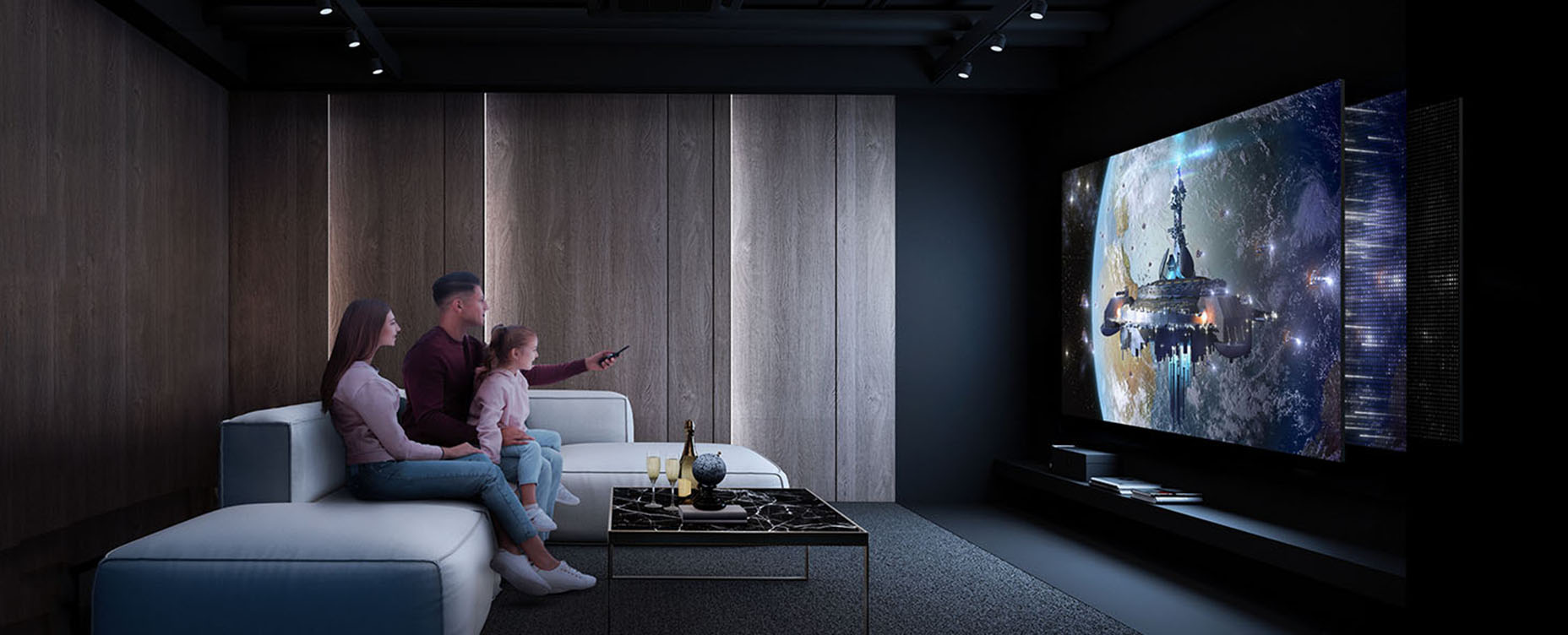
Turn Your Living Room into a Cinema with One Tap
Setting up for movie night often involves a clumsy shuffle of remote controls, adjusting lights, and closing blinds. By the time you are ready, the moment can feel lost. With Homey, you can eliminate that chaos and transform your living room into a true home cinema with a single command. It allows all your devices to work together, creating the perfect, immersive atmosphere instantly so you can get straight to enjoying the film.
Setting the Scene in Seconds
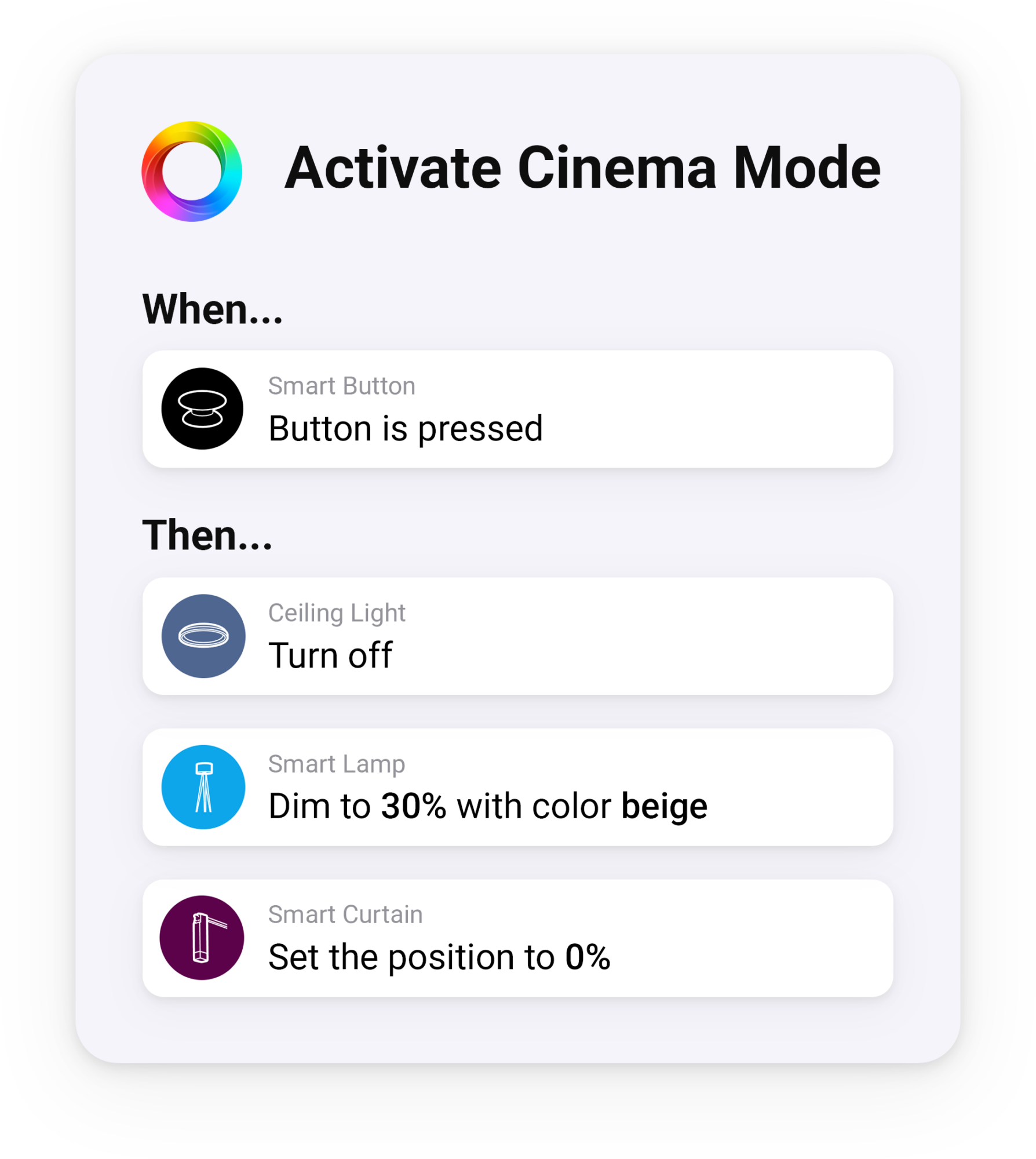
The magic begins with a single "Movie Mode" Flow. You can activate it with one press of a smart button, a simple voice command, or a tap in the Homey app. This instantly prepares the entire room. The main ceiling lights smoothly turns off, while your smart lamps glow at a soft, warm level, just like in a real theater. The Flow also commands your smart blinds or curtains to close completely, blocking out all external light and eliminating annoying reflections on the screen.
A second Flow handles all your entertainment equipment. It can power on your television, your AV receiver, and your sound system all at once using smart plugs or infrared commands. Homey can even tell your receiver to automatically switch to the correct input for your movie player or streaming device. This completely removes the need to juggle three or four different remote controls just to get started.
Cinema Comfort and Atmosphere
A great movie experience is about more than just the screen. Your "Movie Mode" Flow can also manage the room's climate for perfect comfort. If the temperature drops during a long film, Homey can subtly tell your smart thermostat to raise the heat by a degree. If the room feels a bit stuffy, it can silently turn on a nearby smart fan at its lowest speed to gently circulate the air without creating a distraction.
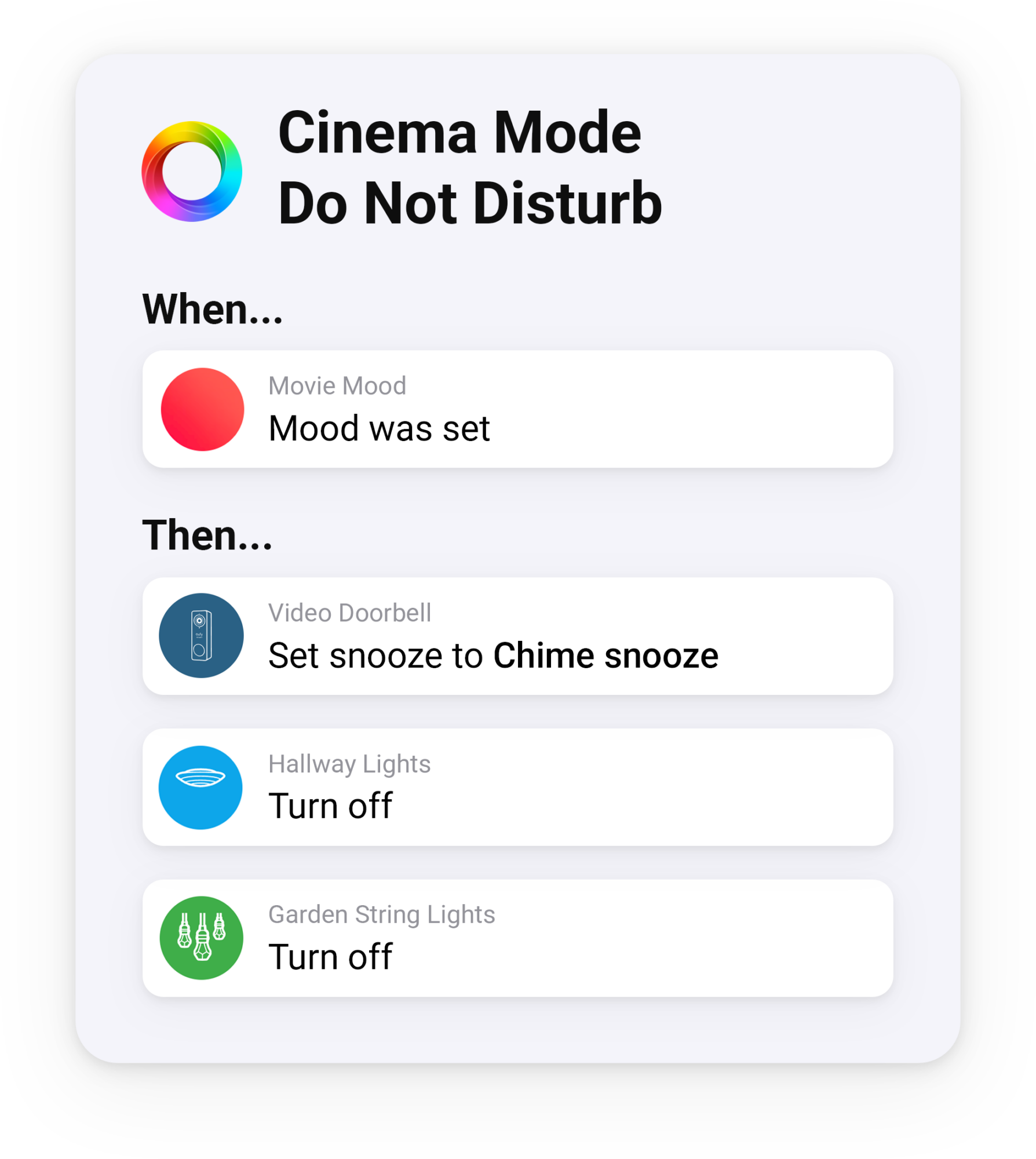
To ensure total focus, Homey also helps silence the outside world. Your "Movie Mode" can automatically put your smart doorbell into a do-not-disturb mode. Instead of a loud chime, any visitor will trigger a silent notification on your phone. The Flow can also ensure lights in adjacent, visible hallways or rooms are dimmed, preventing distracting light from spilling into your cinema space and pulling you out of the movie.
The Uninterrupted Viewing Experience
A smart home can even make pausing the movie a better experience. You can program a single smart button on your coffee table to be your master pause control. When you press it, Homey not only pauses the movie but also triggers a "Pause" Flow. This routine can slowly raise the accent lights to a comfortable low level, so you can easily see your way to the kitchen for more snacks without being blinded.
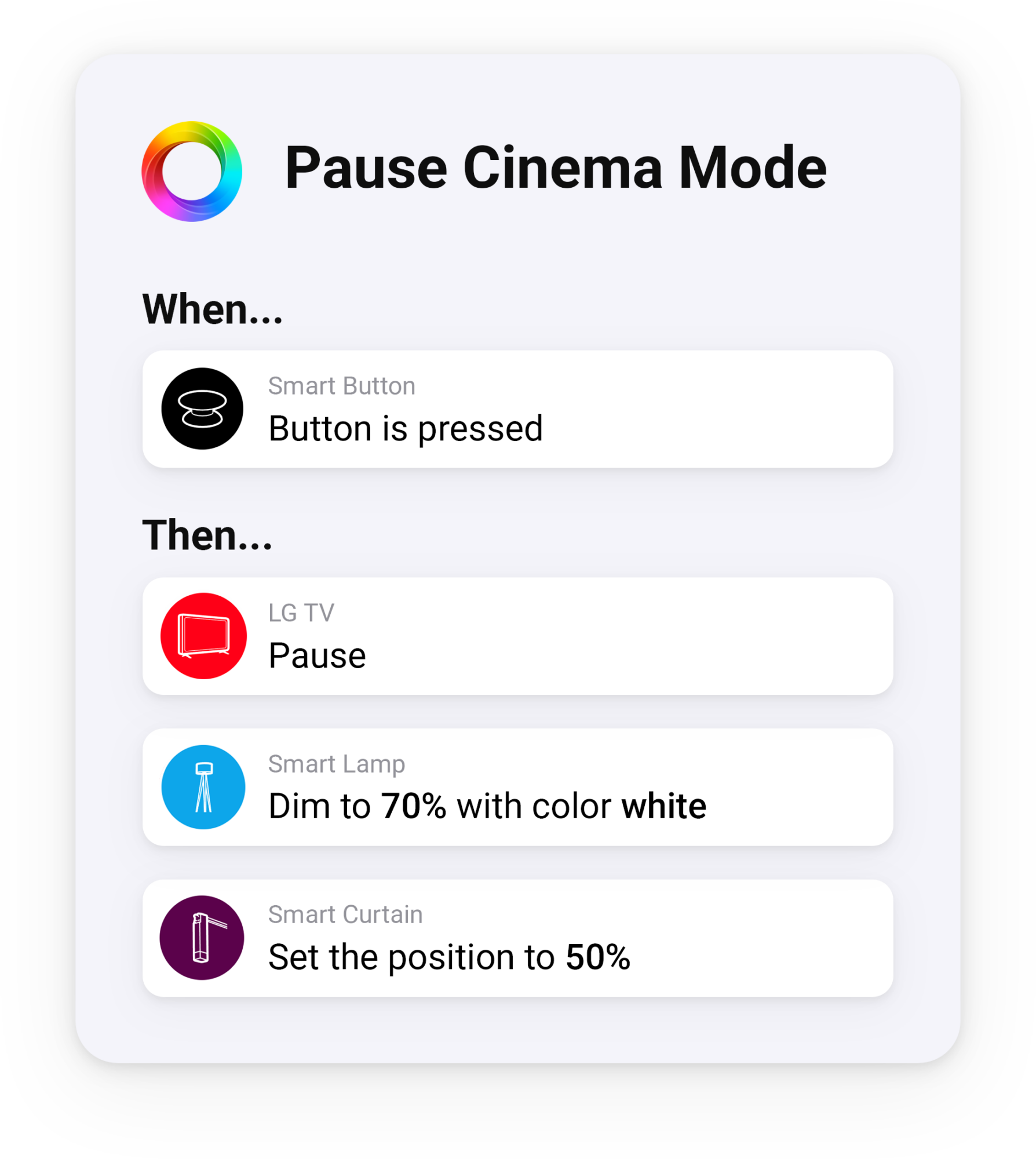
When you are ready to resume, you just press the same button again. The movie continues playing, and the lights smoothly dim back down to their perfect cinematic level. This makes taking a quick break feel seamless and keeps the entire experience feeling premium. It is a small detail that makes a huge difference in maintaining the immersive atmosphere.
Ending the Night Smoothly
Movie night should not end with a scramble for remotes either. An "End of Movie" Flow can return the room to normal with one press. Lights rise back to their everyday brightness. Blinds or curtains reopen automatically.
The same Flow can power down your equipment. The TV, receiver, and sound system all switch off together. No more checking that every device actually turned off.
This Flow can also restore your doorbell to its normal chime. Your do-not-disturb mode ends automatically, so you're not left wondering if it's still active the next morning.
Get Started Today
Stop juggling remotes and manually setting the scene for movie night. With Homey, you can orchestrate your lights, blinds, and media equipment to work together in perfect harmony. Get started for free with Homey Cloud, or go full-on with Homey Pro.
FAQs
Can Homey turn off all my movie equipment at once?
Yes. A single Flow can power down your TV, AV receiver, and sound system together using smart plugs or infrared commands, so nothing is left running.
How does the pause button work with lighting?
Pressing the smart button pauses the movie and triggers a Flow that raises accent lights to a low level, then dims them back down when you press it again to resume.
Will visitors still be able to reach me during Movie Mode?
Yes. Your smart doorbell switches to do-not-disturb, replacing the chime with a silent notification on your phone, so you still know who's there.
Can Homey adjust room temperature during a movie?
Yes. Movie Mode can nudge your smart thermostat up slightly or turn on a smart fan at low speed to keep the room comfortable without drawing attention.
Do I need Homey Pro to set up a home cinema Flow?
Homey Cloud can run basic Movie Mode Flows for free, while Homey Pro adds local processing and support for more device protocols, including infrared equipment.
Glossary
Flow
A rule in Homey that links a trigger, like a button press or voice command, to one or more actions performed across connected devices.
Infrared Command
A signal sent to control older devices, like TVs or receivers, that only respond to a traditional remote rather than a direct smart connection.
AV Receiver
A central device that routes audio and video between sources like a streaming box and outputs like a TV and sound system.
Do Not Disturb Mode
A setting that silences alerts like a doorbell chime, often replacing them with a quiet notification so activity continues undisturbed.
Smart Plug
A plug-in device that adds remote power control to equipment that isn't otherwise connected to the smart home.


