





TrueNAS Manager

Your storage, pools and services at a glance.

Read more ›

Supported devices

Flow cards

Click on a device above to show related Flow cards only.

When...

App
Turned on
App
Turned off
App
A container image update became available
i
Fires when a newer Docker image is available for this app. This is separate from a catalog version upgrade — either can be pending without the other.
App
App status changed
App
An app update became available
Backup Task
The generic alarm turned on
Backup Task
The generic alarm turned off
Backup Task
A task failed
i
Fires only when a run ends in a failed, errored or aborted state. Use this to notice a backup that quietly stopped working.
Backup Task
A task finished
i
Fires when the task leaves the running state, whether it succeeded or not.
Dataset
Free space dropped below Free space (%) %
i
Fires once each time free space crosses the threshold downwards, not on every reading below it.
Disk
The temperature changes
Disk
The generic alarm turned on
Disk
The generic alarm turned off
Disk
Disk temperature rose above Temperature (°C) °C
i
Fires once each time the temperature crosses the threshold upwards, not on every reading above it.
Service
Turned on
Service
Turned off
Storage Pool
The generic alarm turned on
Storage Pool
The generic alarm turned off
Storage Pool
Scrub finished
Storage Pool
Scrub started
Storage Pool
Free space dropped below Free space (%) %
i
Fires once each time free space crosses the threshold downwards, not on every reading below it.
Storage Pool
Pool status changed
Storage Pool
Pool became unhealthy
i
Fires when the pool leaves the healthy state, for example on DEGRADED or FAULTED.
TrueNAS System
The generic alarm turned on
TrueNAS System
The generic alarm turned off
TrueNAS System
The temperature changes
TrueNAS System
An alert was raised
i
Fires once for every new TrueNAS alert at or above the level set in the device settings.
TrueNAS System
A system update became available
Virtual Machine
Turned on
Virtual Machine
Turned off
Virtual Machine
Virtual machine status changed

And...

App
Is turned on
App
A container image update is available
App
App is running
App
An app update is available
Backup Task
The generic alarm is on
Backup Task
The task is running
Backup Task
The last run failed
Dataset
Free space is below Free space (%) %
Disk
The generic alarm is on
Disk
Temperature is above Temperature (°C) °C
Service
Is turned on
Service
Service is running
Storage Pool
The generic alarm is on
Storage Pool
Free space is below Free space (%) %
Storage Pool
Pool is healthy
Storage Pool
A scrub is running
TrueNAS System
The generic alarm is on
TrueNAS System
CPU usage is above Usage (%) %
TrueNAS System
There is alert of level Level or higher
TrueNAS System
A system update is available
Virtual Machine
Is turned on
Virtual Machine
Virtual machine is running

Then...

App
Turn on
App
Turn off
App
Toggle on or off
App
Redeploy the app
i
Stops the app, pulls the latest container images and starts it again.
App
Start the app
App
Stop the app
App
Run the app update
i
Installs whatever update is pending: a catalog version upgrade if one is available, otherwise newer container images. The app restarts. Does nothing when the app is already up to date.
Backup Task
Abort the running task
i
Only cloud sync tasks can be aborted through the API. Replication and snapshot tasks have to finish.
Backup Task
Run the task now
i
Starts the task immediately. Does nothing when it is already running.
Dataset
Create a snapshot
i
Creates a snapshot named after the prefix and the current time, configured in the device settings.
Advanced
Service
Turn on
Service
Turn off
Service
Toggle on or off
Service
Reload the service
i
Asks the service to re-read its configuration. Unlike a restart this keeps existing connections alive. Not every service supports it.
Service
Restart the service
Service
Start the service
Service
Stop the service
Storage Pool
Start a scrub
i
Verifies every block in the pool. This takes hours on large pools and slows down other access.
Storage Pool
Stop the scrub
TrueNAS System
Check for system updates
TrueNAS System
Install the system update, reboot Reboot
i
Downloads and applies a pending TrueNAS update into a new boot environment. Without a reboot the new version only becomes active the next time the NAS restarts, so you can install now and restart at a quiet moment. Does nothing when no update is pending.
TrueNAS System
Reboot the NAS after Delay (seconds) s
i
Reboots the whole TrueNAS system. All shares, apps and virtual machines go offline. The API key needs write permission.
TrueNAS System
Refresh all data
TrueNAS System
Shut down the NAS after Delay (seconds) s
i
Powers off the whole TrueNAS system. It cannot be switched back on from Homey.
Virtual Machine
Turn on
Virtual Machine
Turn off
Virtual Machine
Toggle on or off
Virtual Machine
Restart the virtual machine
Virtual Machine
Start the virtual machine, overcommit Memory
i
Memory overcommitment lets the machine start even when there is not enough free memory left. Use it only when you know the host can cope.
Virtual Machine
Stop the virtual machine, force Method
i
Graceful asks the guest operating system to shut down. Forced cuts power immediately and can lose unsaved data.

Widgets

You can add this app’s widgets to your dashboard or homescreen in the mobile app.

NAS Overview
NAS Overview

Support

Having an issue with this app? Report issues via the developer issue tracker.

What’s new

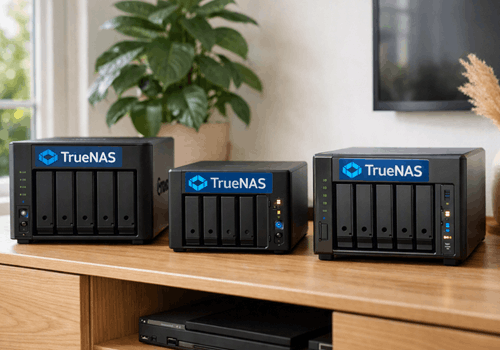
Version 0.0.3 — A new App Store image, showing the hardware where it actually lives.

View changelog

TrueNAS Manager

TrueNAS Manager is not compatible with the selected Homey.

TrueNAS Manager will install on Homey shortly.
Install App