





Warnung! Diese App funktioniert möglicherweise nicht richtig.
Diese App wird getestet und wurde noch nie überprüft. Sie funktioniert möglicherweise nicht wie erwartet. Sei besonders vorsichtig, wenn du diese App installierst.
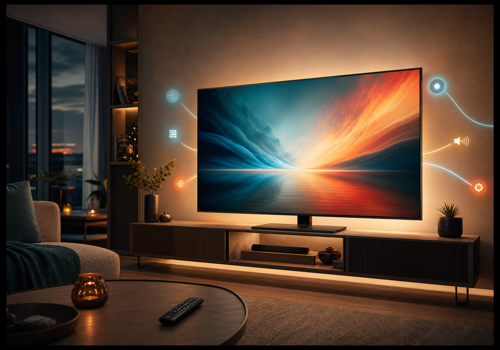
Control compatible LG webOS televisions locally through your home network. Wake the television, monitor power and the active source, select channels, applications and HDMI inputs, and use mute or remote-control commands in your automations.
Create Flows that react to channel, application, input, sound-output and mute changes, or show notifications on the television. This specialist television integration complements broader appliance services. Functions depend on the television model and settings; external ARC or eARC systems may retain their own volume level. Problem reports are welcomed at the listed support address, but this community release is provided on a best-effort basis without a guaranteed response or update schedule.
Klicke oben auf ein Gerät, um nur verwandte Flow-Karten anzuzeigen.
Wenn ...
Local webOS TV Controller
Angeschaltet
Local webOS TV Controller
Ausgeschaltet
Local webOS TV Controller
Lautstärke hat sich geändert
Local webOS TV Controller
Channel changed
Local webOS TV Controller
Channel changed to Channel
Local webOS TV Controller
Channel changed to Channel
Local webOS TV Controller
Volume muted
Local webOS TV Controller
Volume unmuted
Local webOS TV Controller
App or input changed
Local webOS TV Controller
App or input changed to App or input
Local webOS TV Controller
Sound output changed
Local webOS TV Controller
Sound output changed to Sound output
Und ...
Local webOS TV Controller
Ist an
Local webOS TV Controller
Sound output is Sound output
Local webOS TV Controller
Channel number is Channel
Local webOS TV Controller
Selected channel is Channel
Local webOS TV Controller
TV is muted
Local webOS TV Controller
Volume equals Volume%
Local webOS TV Controller
Volume is below Volume%
Local webOS TV Controller
Volume is above Volume%
Local webOS TV Controller
App or input is App or input
Dann ...
Local webOS TV Controller
Einschalten
Local webOS TV Controller
Ausschalten
Local webOS TV Controller
Ein- oder ausschalten
Local webOS TV Controller
Lautstärke setzen auf %
Local webOS TV Controller
Setze relative Lautsärke %
i
Ändere die Lautstärke unter Berücksichtigung der aktuellen Lautstärke des Gerätes.
Local webOS TV Controller
Einen Kanal hoch
Local webOS TV Controller
Dreh die Lautstärke hoch
Local webOS TV Controller
Einen Kanal runter
Local webOS TV Controller
Dreh die Lautstärke runter
Local webOS TV Controller
Lautstärke stummschalten
Local webOS TV Controller
Lautstärke nicht mehr stummschalten
Local webOS TV Controller
Stummschaltung ein- oder ausschalten
Local webOS TV Controller
Show alert Alert title: Alert text with Buttons as JSON for Duration seconds
Local webOS TV Controller
Show notification Notification text with icon Optional icon
Local webOS TV Controller
Change sound output to Sound output
Local webOS TV Controller
Change channel number to Channel
Local webOS TV Controller
Launch App or input
Local webOS TV Controller
Change channel from list to Channel
Local webOS TV Controller
Simulate remote button Remote button
Local webOS TV Controller
Switch to Input
Local webOS TV Controller
Play
Local webOS TV Controller
Pause
Local webOS TV Controller
Toggle Play/Pause command
Local webOS TV Controller
Fast forward
Local webOS TV Controller
Rewind
Support
Hast du Probleme mit dieser App?
Den Entwickler kontaktieren durch Senden einer E-Mail.
Was ist neu?
Version 1.0.44 — Restored Max-compatible LG connection retry behaviour while retaining safe retry cancellation, and rejected incomplete LG list responses without crashing the app.