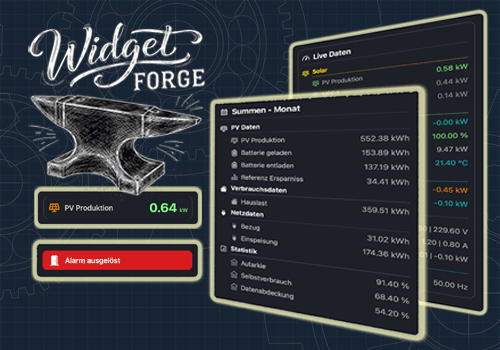
Widget Forge

Flow- and tag-driven independent widgets

Advarsel! Denne app fungerer muligvis ikke ordentligt.

Denne app er ved at blive testet og er aldrig blevet anmeldt. Den fungerer muligvis ikke som forventet.
Vær ekstra forsigtig, når du installerer denne app.
« Tilbage til den almindelige version

Flow- and tag-driven independent widgets

Læs mere ›

Flow-kort

Så...

Widget Forge
Clear Big Data Block Widget ID
i
Clears all lines of the selected Big Data Block widget.
Widget Forge
Clear styled list Widget ID
i
Clears all lines of the selected Styled List widget.
Widget Forge
Set data line Line in Big Data Block Widget ID: Title = Value Unit (Factor, Invert sign, Icon, Title color, Icon color, Value color, Title size, Value size)
i
Sets one line of the selected Big Data Block widget as data line. Factor and invert also work with values like 191 | -11 | -166.
Widget Forge
Set spacer line Line in Big Data Block Widget ID: Pixels px
i
Sets one line of the selected Big Data Block widget as spacer line with a defined height in pixels.
Widget Forge
Set big display Widget ID: Title = Value Unit (Factor, Invert sign, Icon, Title color, Icon color, Value color, Background color, Title size, Value size)
i
Sets the full content of the selected Big Display widget. Factor and invert also work with values like 191 | -11 | -166.
Widget Forge
Set separator line Line in styled list Widget ID (Thickness, Style, Separator color)
i
Sets one line of the selected Styled List widget as separator line.
Widget Forge
Set spacer line Line in styled list Widget ID: Pixels px
i
Sets one line of the selected Styled List widget as a spacer line with a configurable height in pixels. Empty or invalid values default to 10 px.
Widget Forge
Set title line Line in styled list Widget ID to Text (Style, Text size, Icon, Icon position, Text color, Icon color, Separator, Separator thickness, Separator style, Separator color, Opacity)
i
Sets one line of the selected Styled List widget as title line.
Widget Forge
Set value line Line in styled list Widget ID: Text = Value Unit (Factor, Invert sign, Style, Text size, Icon, Icon position, Data color, Text color, Icon color, Opacity)
i
Sets one line of the selected Styled List widget as value line. Factor and invert also work with values like 191 | -11 | -166.

Widgets

Du kan tilføje denne apps widgets til dit dashboard eller din startskærm i mobil-appen.

Big Data Block
Big Data Block
Big Display
Big Display
Styled List
Styled List

Support

Har du et problem med denne app? Kontakt udvikleren ved at sende en e-mail.

Hvad er nyt

Version 1.1.0 — Added the Big Data Block widget with new Flow Cards, spacer lines, frame options, color settings, value formatting, and realtime updates.

Se ændringslog

Widget Forge

Widget Forge er ikke kompatibel med den valgte Homey.

Widget Forge bliver snart installeret på Homey.
Installer