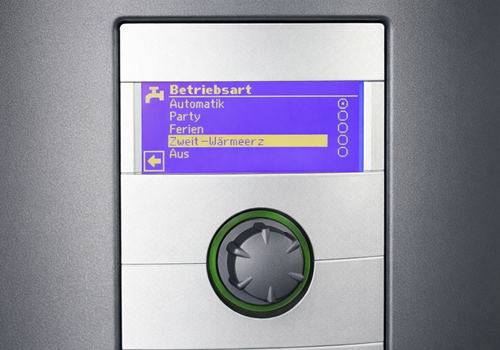
Luxtronik Heat Pump Manager connects your Luxtronik-based heat pump (e.g. Alpha-Innotec, CTA, Novelan, Roth, Elco, Buderus, Nibe, Wolf Heiztechnik) with Homey. The app reads all available measurement values from the controller and allows you to use these values in Homey Flows as well as write central control functions directly from Homey.
Features
- Read all values provided by Luxtronik (temperatures, operating hours, energy values, volume flow, operating state and much more)
- Write access to operating modes and target values: switch heating mode, switch hot water mode, set target temperatures.
- Heating target correction: correction of the heating target temperature in the range of -5 °C to +5 °C
- Flow integration: All measured values and control functions are available as triggers, conditions and actions in Homey Flows.
- Stable connection: Support for local IP connections to your heat pump via the luxtronik2 NPM package.
Compatibility
Luxtronik Heat Pump Manager is compatible with many Luxtronik-based systems and heat pump manufacturers, including frequently used models such as Alpha-Innotec, CTA Aeroheat, Siemens Novelan, Roth ThermoAura, Elco Aquatop, Buderus Logamatic, Nibe AP-AW10 and Wolf Heiztechnik BWL/BWS. The app uses the standardised values of the Luxtronik interface, so it works in different system configurations.
Requirements
- Local access to the Luxtronik controller (fixed IP address or DHCP reservation recommended).
- Standard ports of the Luxtronik interface (8889) must be reachable.
Quick Guide for Installation
Simple pairing via IP address and port — all sensor values and control functions are immediately available in Homey afterwards. Changes to target values affect the system directly — please consult the operating manual and observe local regulations.
Development
This app was developed entirely with the help of Claude (Anthropic AI). Special thanks go to Robin Flikkema for his original Luxtronik Homey App, which served as the foundation and inspiration for this project.
자세히 읽기 ›