


HR-energy integration for Homey.
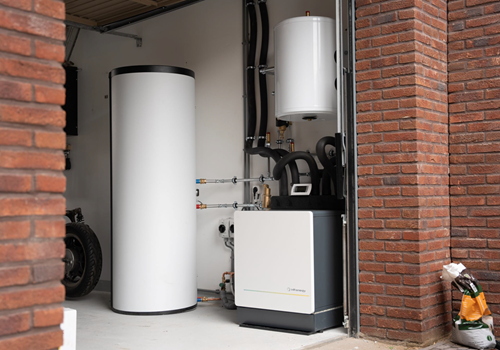
Control and monitor your HR-energy Qube heatpump directly from Homey via Modbus TCP.
Features:
- Real-time sensor data: supply, return, source, room, DHW, and outdoor temperatures
- Water flow rate, COP (efficiency), electric and thermal power, energy consumption
- Thermal energy production monitoring
- Compressor speed and working hours (DHW, heating, cooling)
- Digital output status: source pump, CV pump, valves, backup heaters
- Season mode control (Winter/Summer) and heating curve toggle
- Heating, cooling, and DHW setpoint adjustment
- 9 alarm indicators (global, flow, heating, cooling, source, user, legionella timeout, DHW timeout, working hours)
- 20 flow trigger cards for automations (status changes, alarms, compressor events)
- 10 flow action cards (setpoints, season mode, heating curve, DHW program, SG Ready, anti-legionella, advanced Modbus write)
- "Any alarm ON" trigger with alarm name tag for flexible notifications
- Fully localized in English and Dutch (Nederlands)
Supported devices:
- HR-energy Qube heatpump (Modbus TCP connection required)
Setup:
1. Install the app on your Homey
2. Add a new device: HR-energy > Qube
3. Go to device Settings and enter the IP address of your Qube
4. Optionally adjust port (default 502), Modbus unit ID (default 1), and poll interval (default 5 seconds)
5. The device will connect automatically and start reading data
Known limitations:
- The Qube must be reachable on your local network via Modbus TCP
- SG Ready mode requires Qube firmware >= 4.0.08
- After app updates, you may need to remove and re-add the device for new capabilities to appear
More information:
- https://github.com/rcoemans/com.hr-energy.qube
자세히 읽기 ›