





HomeKit Device Bridge
Universal HomeKit bridge for Smart TVs (Samsung, LG, Sony), Air Purifiers (Xiaomi, IKEA, etc), and Climate/AC (Daikin, Tado, etc).
경고! 이 앱이 제대로 작동하지 않을 수 있습니다.
이 앱 버전은 현재 테스트 중이며 아직 검토되지 않았습니다. 기대한 대로 작동하지 않을 수 있습니다.
이 앱을 설치할 때는 각별히 주의하세요.
HomeKit Device Bridge for Homey
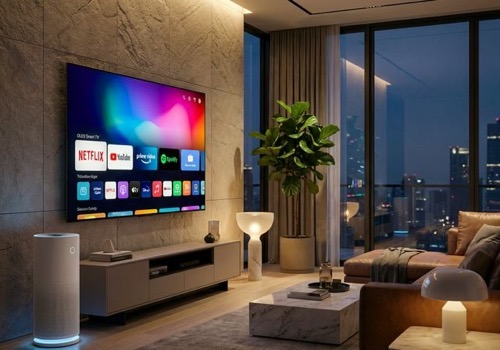
Professional-grade bridge to bring your Smart TVs and Air Purifiers from Homey Pro into Apple HomeKit with native controls and ultra-fast response times.
---
Smart TV Features
Transform your Smart TV into a native HomeKit Television accessory with:
- Automatic Discovery: Support for Samsung (SmartThings), LG (webOS), Sony (Bravia), Philips, Android TV, and more.
- Dynamic Input Switching: Automatically maps HDMI ports and installed Apps (Netflix, YouTube, YouTube Kids, etc.) as HomeKit inputs.
- Native Remote Control: Use the iOS Control Center Remote to navigate menus and control your TV.
- Volume Control: Map TV volume to HomeKit (linked speaker service).
- Power Sync: Bi-directional power state synchronization.
Air Purifier Features
Comprehensive support for modern Air Purifiers (Xiaomi, Dyson, Philips, IKEA, etc.):
- Native Speed Control: Smooth rotation speed slider (0-100%).
- Mode Synchronization: Toggle between Auto and Manual modes directly from Apple Home.
- Filter Health Monitoring: Real-time filter life percentage and "Filter Change" notifications.
- Advanced Sensor Suite: Automatically links and displays:
- Air Quality (PM2.5)
- Current Temperature
- Relative Humidity
- Child Lock & Swing: Map physical control lock and oscillation to HomeKit characteristics.
Supported Brands
This app uses intelligent capability mapping, making it compatible with almost any device that follows Homey standards, including:
- Xiaomi (Mi Home): Full MIoT support including specialized mappings for the Air Purifier 4 & 4 Lite.
- IKEA: Starkvind series support.
- Philips: Air Purifier & Humidifier series.
- Dyson: Pure Cool / Hot+Cool series.
- Samsung / LG / Sony: Full TV ecosystem support.
---
Installation & Setup
1. Install: Deploy the app to your Homey Pro.
2. Discovery: Open App Settings on Homey to see the list of discovered devices.
3. Enable: Toggle the devices you want to bridge to HomeKit.
4. Pair: Use the HomeKit pairing code found in the app settings or logs.
- Default Code: 234-23-462
5. Add Accessory: In the Apple Home app, tap Add Accessory > More Options and select your devices.
Privacy & Performance
- Local Only: No cloud accounts or external servers required. All communication stays within your local network.
- Snappy Response: Optimized publication delay (1s) and efficient state synchronization.
- Persistence: Remembers your device configurations across restarts.
---
Support & Donation
If you find this app useful and want to support its development, you can buy me a coffee!
Donate via PayPal: https://www.paypal.me/ugrbnk
---
Developed by Ugur BENEK (ugrbnk@me.com)
지원
이 앱의 개발자는 직접 지원을 제공하지 않습니다.
새로운 기능
버전 1.1.10 — test versiyon
HomeKit Device Bridge
 이 앱으로 Homey 전체를 관리할 수 있습니다.
선택하신 Homey에 HomeKit Device Bridge이(가) 호환되지 않습니다.
 HomeKit Device Bridge이(가) 곧 Homey에 설치됩니다.
업데이트 로그
Uğur Benek 님에게 고맙다는 인사를 전해드리겠습니다!
Uğur Benek 님께 앱을 잘 사용하고 있다고 알려주세요.
제안이 전송되었습니다.
제안을 보내주셨다고 Uğur Benek 님에게 알리겠습니다.
Africa


Asia


Europe

 Belgium
Deutsch English
 Bulgaria
 Croatia
 Cyprus
 Czech Republic

 Estonia
 Finland


 Greece

 Hungary
 Iceland
 Ireland

 Latvia
 Lithuania

 Malta
Malta
 Moldova
 The Netherlands


 Portugal
 Romania
 Slovakia
 Slovenia


 Türkiye
 Ukraine
 United Kingdom


