


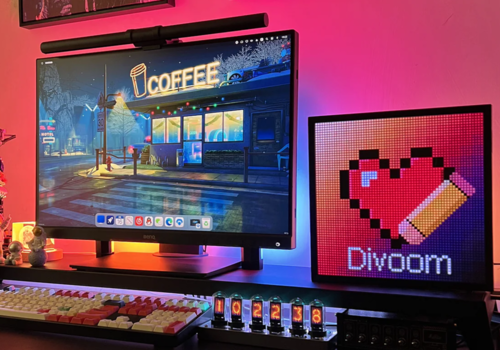
This app allows you to seamlessly integrate and control your Divoom devices, enhancing your environment with personalized pixel art, music visualization, and smart notifications. Whether you want to customize your space or receive real-time updates in a fun way, this app makes it easier to manage your Divoom devices from one place, providing a unique blend of creativity and convenience in everyday life.
The image will automatically be resized to 64x64 pixels.
Pixoo 64
Play buzzer for 'Milliseconds'
Pixoo 64
Play Divoom GIF 'Name'
Pixoo 64
Set channel 'Channel'.
Pixoo 64
Display GIF from 'URL' for 'Milliseconds per frame' milliseconds.
i
The GIF will automatically be resized to 64x64 pixels and only the first 64 frames will be displayed.
Pixoo 64
Start timer for 'Minutes' minutes and 'Seconds' seconds
Pixoo 64
Stop timer
Pixoo 64
Fill screen with 'Color value (Hex)'.
Pixoo 64
Render text 'Text' in the color 'Color hex value', positioned at X: 'X-Position' and Y: 'Y-Position', with a width of 'Text width'. Use the font 'Font'. Scroll the text 'Scroll direction' at a speed of 'Scroll speed in ms', aligned to the 'Alignment'. Clear the current text: 'Clear current text'.
i
For more control over the fonts, use the "Add text to text-list" flow.
Pixoo 64
Clear text
Pixoo 64
Create or clear text-list with id 'Text-list ID'.
Pixoo 64
Render text-list with id 'Text-list ID'.
i
Start by adding text to the list using the "Add text to text-list" flow.
Pixoo 64
Add text to text-list with id 'Text-list ID'. Add text 'Text' with the type 'Display-Type' in the color 'Color hex value', positioned at X: 'X-Position' and Y: 'Y-Position', with a width of 'Text width' and height of 'Text height'. Use the font 'Font'. Scroll the text 'Scroll direction' at a speed of 'Scroll speed in ms', aligned to the 'Alignment'.
i
Once you've populated the list with all the texts, use the "Render text-list" flow to display the entire list in one go.