









Comparing Homey Pro and Apple Home
Homey and Apple Home both aim to simplify life with connected devices, but they approach the smart home from different angles. Homey is built as an all-in-one smart home hub that unifies devices and protocols under one system. Apple Home, also known as HomeKit, is a framework that extends the Apple ecosystem into home automation, with Siri and the Home app at its core.
Contents
- Core Functions & Goals
- Connectivity & Protocol Support
- Voice, Local Control & Cloud Roles
- Automation & Routines
- Device Control & Compatibility
- Data Visibility, Analytics & Insights
- Privacy & Data Use
- Community & Support
- Integration & Collaboration
- Conclusion
Core Functions & Goals
Homey functions as a cross-brand smart home platform. With a Homey Pro in place, you bring devices from many brands into one app. The Homey App Store is loaded with apps that support for over 1000 brands and over 50.000 smart devices. This makes Homey a central smart home hub where control, monitoring, and advanced home automation live together.
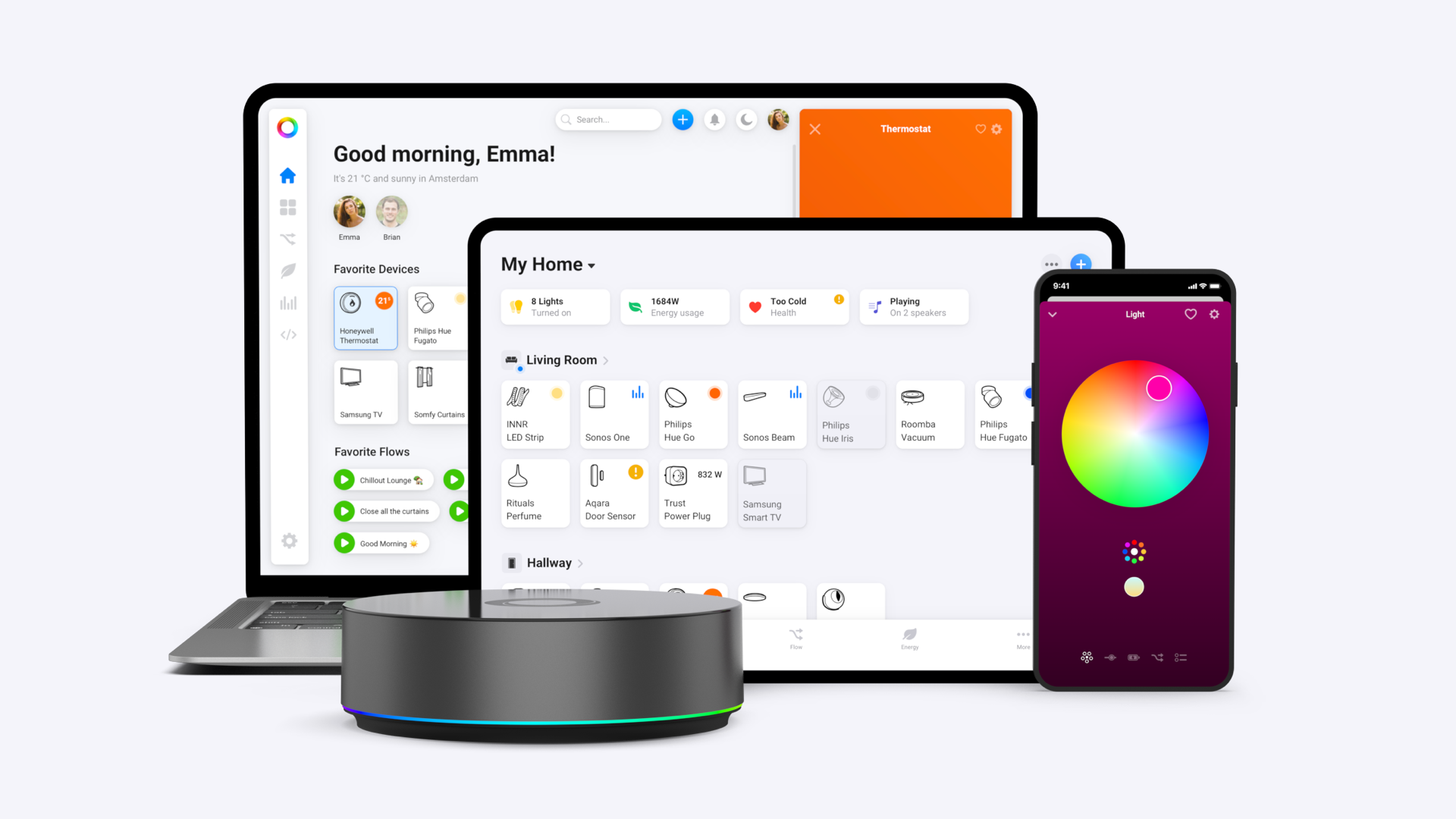
Apple Home focuses on making accessories feel native on iPhone, iPad, Mac, and Apple Watch. It centralizes certified accessories in the Home app and adds voice control with Siri. The goal is a familiar Apple experience across devices, not universal protocol coverage. Apple Home works best when you stick to HomeKit or Matter accessories and let a HomePod or Apple TV anchor the home.
Connectivity & Protocol Support
Homey Pro supports Matter, Thread, Zigbee, Z-Wave, Wi-Fi, Bluetooth, 433 MHz, and Infrared. This mix of communication protocols covers everything from modern ecosystems and legacy gear in one box. Homey Pro mini keeps Matter, Thread, Zigbee, and Ethernet. It leaves out Z-Wave, Wi-Fi, 433 MHz and Infrared for a lower price and smaller footprint. Homey Bridge adds radios such as Zigbee, Z-Wave, 433 MHz, Infrared, Bluetooth, and works with Homey Cloud, which is useful if you want a low-cost entry or you do not need full local processing.
Apple Home supports devices over Wi-Fi, Bluetooth, Thread, and Matter. A HomePod or Apple TV provides the home hub role and Thread Border Router function. Apple does not support Zigbee, Z-Wave, 433 MHz, or Infrared natively. Products that use those technologies need their own bridges to be included in your smart home.
Voice, Local Control & Cloud Roles
Siri is the front door to Apple's connected home. You can use a HomePod, iPhone, or Apple Watch to control devices, run scenes, and check status. Apple also prioritizes local control when Matter and Thread are in play, so many actions happen directly on the hub without relying on the cloud. iCloud steps in for syncing, notifications, and remote access when you are away from home.
Homey does not include its own voice assistant but can integrate with Google Home, Apple Home, or Amazon Alexa. On iOS you can trigger Homey Flows through Siri Shortcuts, and Matter devices paired to both platforms can be controlled from either side. Homey Pro processes automation, device control and data handling fully locally on the hub, so lights and sensors continue to work without internet.
Automation & Routines
Apple Home automations cover the basics needed for daily routines. You can trigger them by time of day, presence detection, sensor activity, or changes in accessory state. Scenes let you group multiple devices into a single action, which works well for common needs like turning off everything at bedtime or preparing the living room for a movie night. These tools are straightforward and reliable, but once you need advanced logic such as branching conditions, multiple dependencies, or multi-step flows, Apple Home starts to show its limits and often requires the use of Shortcuts or the manufacturer’s own apps.
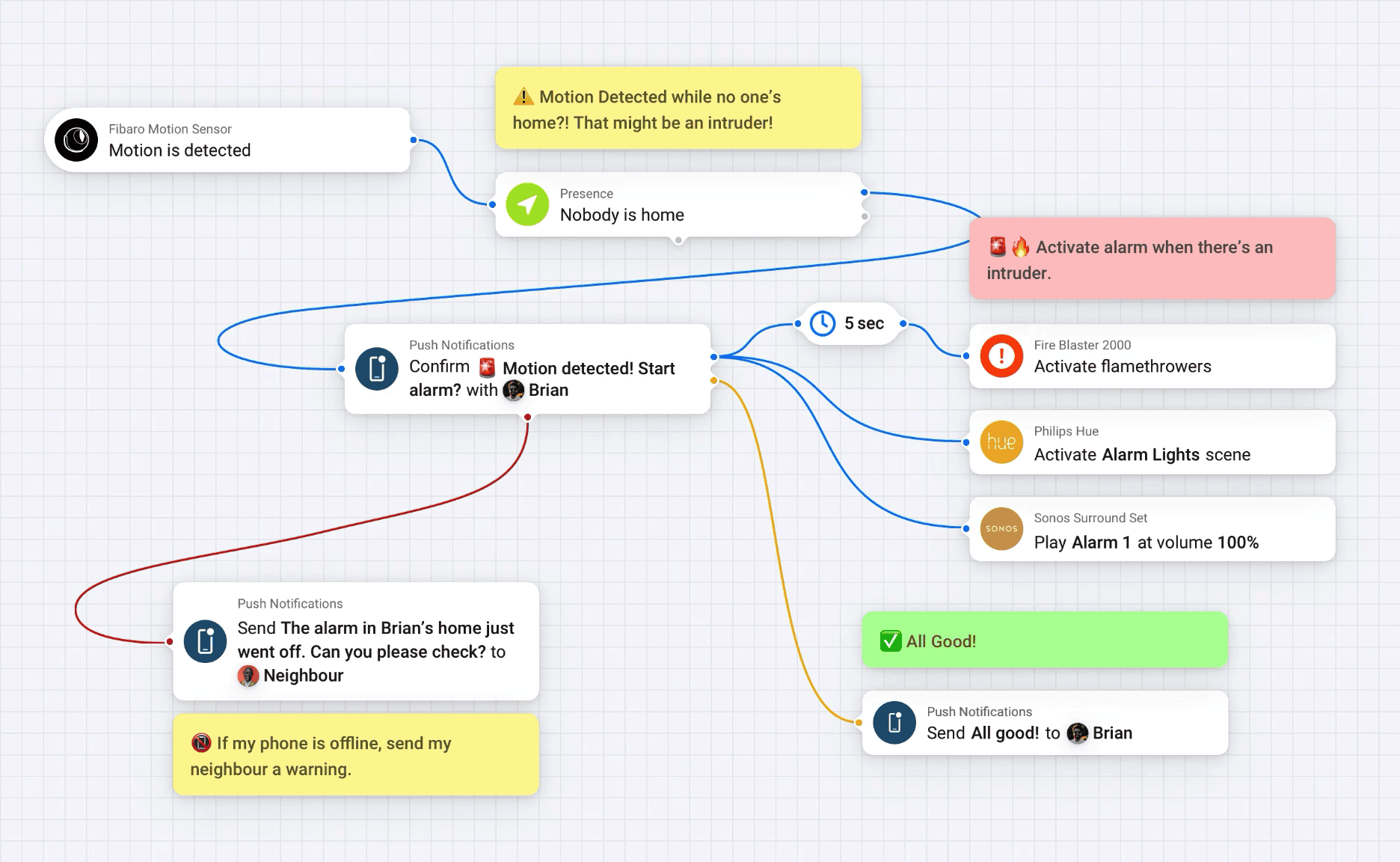
With Homey's Flows editor you combine triggers, conditions, and actions into simple automations. Advanced Flow builds on this by giving you a visual editor that shows how each part of the routine interacts, making complex scenarios easier to design and adjust. For advanced users, HomeyScript opens the system even further by letting you write custom scripts in JavaScript. This allows for automation that goes well beyond the built-in tools, enabling things like advanced calculations, dynamic conditions, or logic that spans across multiple devices and services.
Device Control & Compatibility
Out of the box, Homey provides a clear dashboard where you can see the status of all connected devices. Each device type has controls tailored to its type, whether that means sliders for lighting, color pickers for RGB bulbs, or detailed thermostatic settings. Furthermore, you can create your own dashboards and customize them per room or any other way you wish. With support for eight different wireless protocols and integrations with over 1,000 brands and more than 50,000 devices, Homey covers every corner of the smart home market. Because the radios are built into the hubs, devices connect directly without the need for brand-specific gateways.
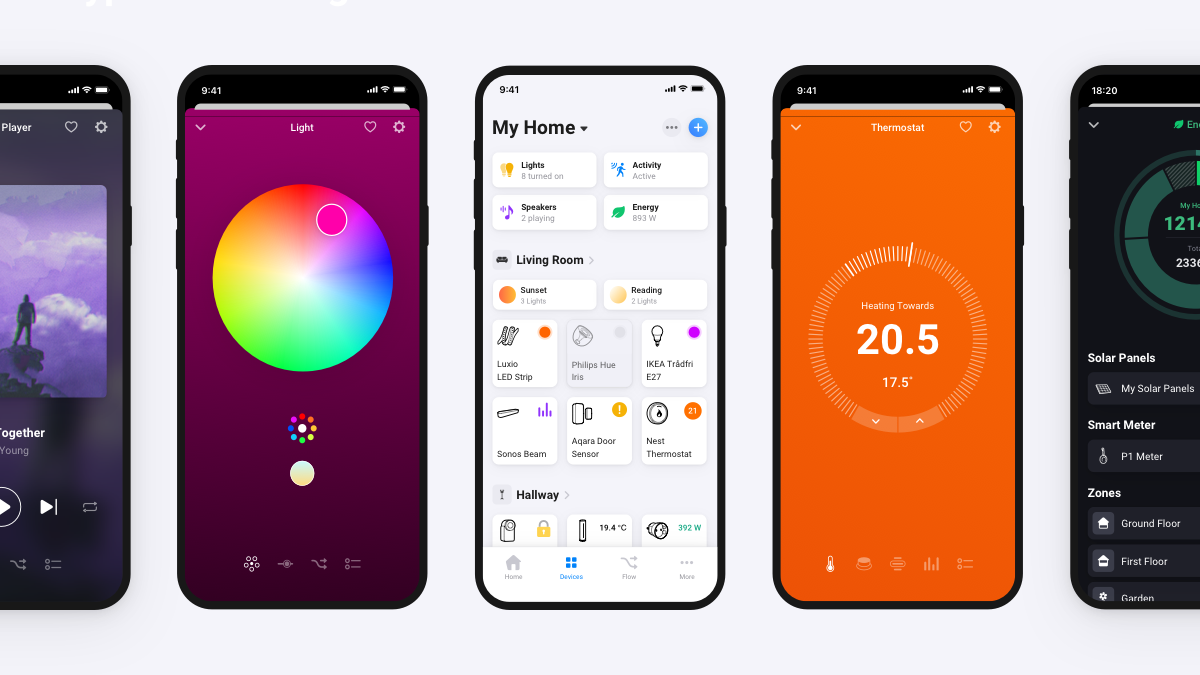
Apple’s Home app follows Apple’s design principles, keeping the layout simple and consistent with the rest of iOS and macOS. Devices appear as tiles organized by room and can be grouped into scenes. Siri adds quick voice control, which makes simple interactions very convenient. However, advanced features are usually hidden in the manufacturer’s own app. This means unsupported devices remain invisible unless a bridge brings them in.
Data Visibility, Analytics & Insights
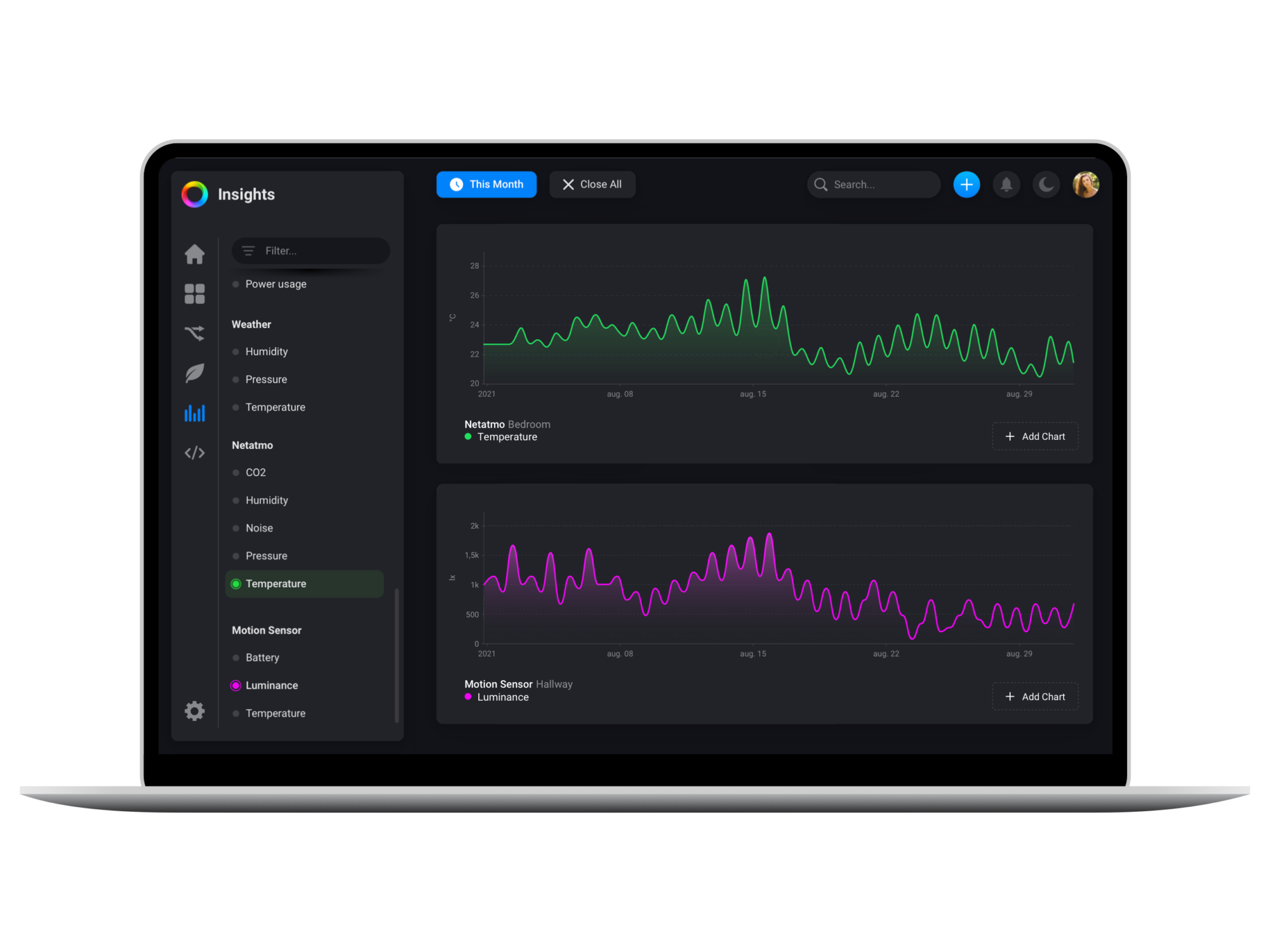
As part of its rich feature set, Homey includes Insights, a built-in feature that collects and visualizes data from all connected smart devices. You can track how much power your appliances consume, review temperature changes over days or weeks, or check when sensors detected movement. These records are not just nice to look at. They give you a concrete basis for improving comfort, saving energy, and refining automations.
Apple Home does not provide a similar analytics layer. The Home app shows current device status and some recent events, but it does not store or present long-term trends. For history or energy reporting, you need to rely on the accessory’s own app or a third-party service. Apple’s focus is on smooth day-to-day control and reliable integration, not on deeper data analysis.
Privacy & Data Use
Homey Pro processes automations, device commands, and data storage locally on the hub. Nothing is shared outside your home unless you actively enable optional cloud services such as remote access or backups. Athom does not use household data for advertising or profiling, which means your smart home information remains private by default.
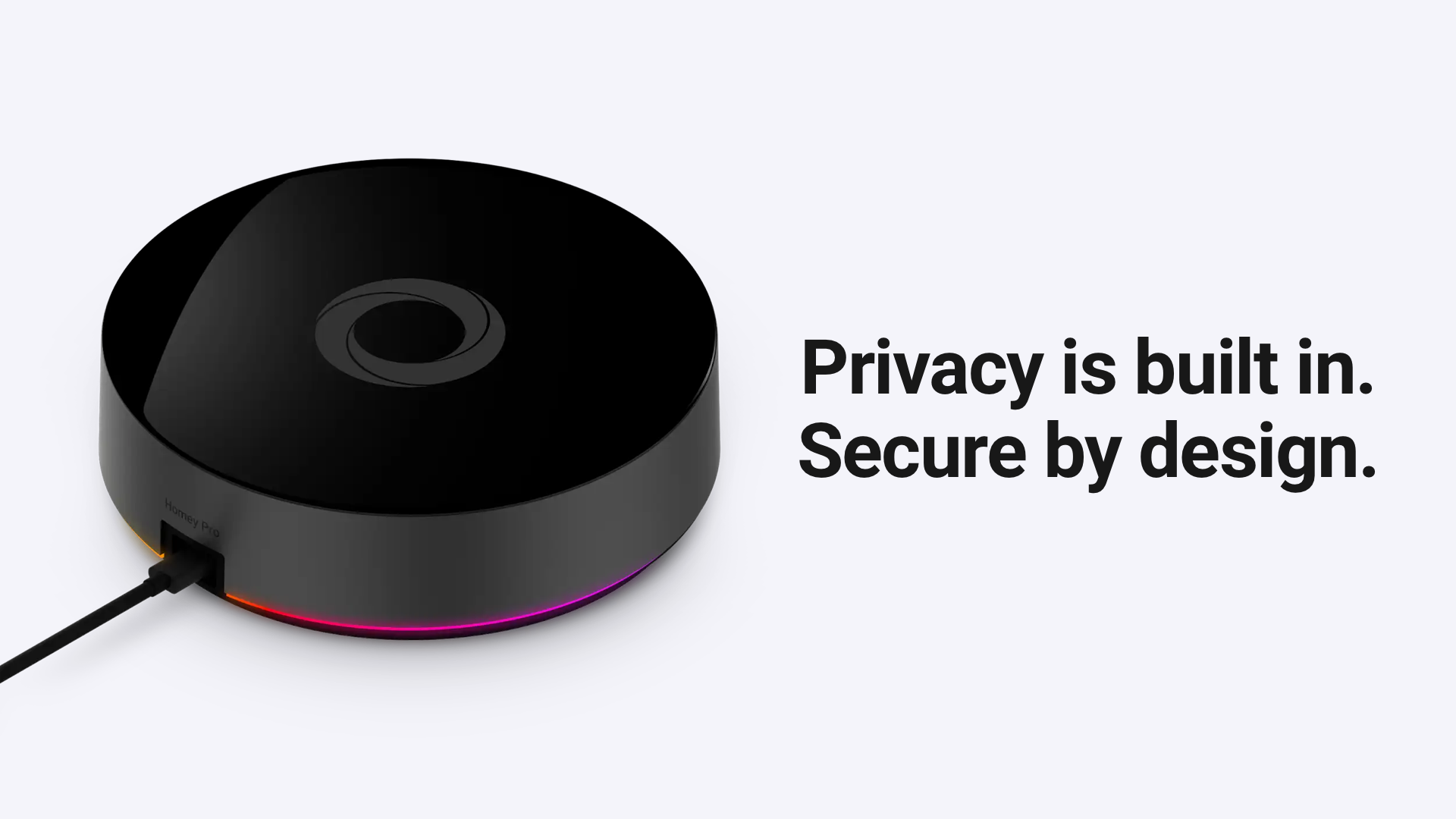
Apple also emphasizes privacy as part of its brand identity. HomeKit-certified accessories must meet strict encryption and security standards, and features like HomeKit Secure Video process sensitive data locally. At the same time, remote access and synchronization depend on iCloud, so parts of your smart home activity are still routed through Apple’s servers. This provides strong security but also makes your system reliant on Apple’s cloud.
Community & Support
Homey offers several layers of support. Athom provides direct customer service and a detailed knowledge base, while the Homey Community forum is active with users and developers who share solutions, Flow ideas, and custom integrations. The Homey App Store benefits from both official brand support and community contributions, which keeps coverage expanding quickly.
Apple supports HomeKit through its standard Apple Support channels and documentation, along with community forums. Because the ecosystem relies on certified accessories, responsibility for solving problems is sometimes split: Apple handles platform issues while manufacturers support their own devices. Community-driven extensions exist, but compared to Homey, the scope for user-created features is much more limited.
Integration & Collaboration
Homey Pro and Apple Home can work side by side and complement each other. By exposing devices connected to Homey into Apple Home, you can control accessories that Apple would not normally recognize — such as Zigbee sensors, Z-Wave switches, or even Infrared remotes — directly through Siri and the Home app. Matter devices can be paired with both platforms, giving you flexibility in how you control them. Homey Flows can also be triggered by Siri Shortcuts, combining Apple’s voice interface with Homey’s advanced automation capabilities.
This setup lets you use a HomePod or Apple TV as your Apple home hub for presence detection, notifications, and remote access, while a Homey Pro provides the multi-protocol backbone that connects everything together. The result is a wider range of device compatibility paired with stronger automation, without giving up the convenience of Apple’s ecosystem.
Conclusion
Homey Pro and Apple Home represent two distinct approaches to home automation. Homey acts as a flexible smart home hub, supporting eight wireless protocols, more than 1,000 brands, and over 50,000 devices, with advanced automation and detailed insights built in. Apple Home focuses on tight integration with iOS, Siri, and certified accessories, anchored by HomePod or Apple TV as the home hub.
Many households see the best results by combining them: Homey takes care of compatibility and complex automation, while Apple Home delivers the familiar interface and voice control that fit naturally into the Apple ecosystem.


