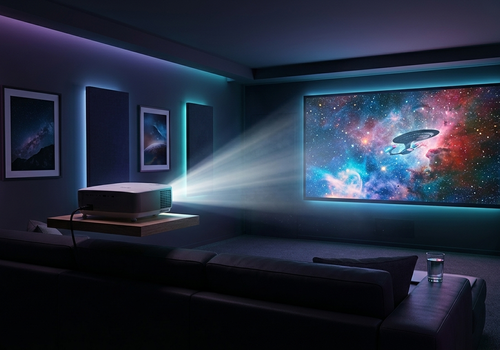
Control your BenQ network-enabled projector directly from Homey. Power on/off, switch inputs, adjust volume, monitor lamp hours with Insights, and build automations — all over your local network with no extra hardware required.
FEATURES
- Power control — turn on/off from any Homey Flow or device card
- Input switching — switch between HDMI 1, HDMI 2, Computer 1/2, and more
- Volume control — adjust level or mute
- ECO Blank — blank the screen and dim the lamp during pauses to extend lamp life
- Picture mode — switch between Dynamic, Presentation, sRGB, Cinema, 3D, User 1, User 2
- Lamp hours monitoring — track usage in Homey Insights and get warned before the lamp needs replacing
- Full power state tracking — Warming Up, Cooling Down, and Standby all shown in real time
- Auto-discovery — finds your projector automatically on the local network
- Manual IP fallback — enter the IP address directly if discovery is restricted on your network
COMPATIBLE PROJECTORS
Confirmed working:
- BenQ SH915 (firmware V1.02) — fully tested
Likely compatible:
BenQ network projectors from approximately 2012-2019 that use the same built-in web interface are likely compatible. This includes most models in the SH, MH, MW, TH, W, MS, and MX series that have a LAN Control option in their settings menu.
To check compatibility, your projector must have:
1. LAN Control enabled (found in the projector's Network Settings or Setup menu)
2. Connected to your local network via Ethernet or WiFi
3. Network Standby enabled (recommended, allows wake and status polling when off)
SETUP
Before adding the device in Homey:
1. On your projector go to Menu > System Setup > Network Settings
2. Enable LAN Control (sometimes called Network Control)
3. Enable Network Standby if you want to wake the projector remotely
4. Note the projector's IP address shown in Network Settings
5. Recommended: set a static IP in your router so the address does not change
Then in Homey:
1. Open the Homey app and go to Devices > Add Device
2. Search for BenQ Network Projector
3. The app will scan your network automatically — select your projector, or enter the IP manually
4. Done — your projector appears as a Homey device
AUTOMATION EXAMPLES
Cinema lighting:
When BenQ Projector is turned on
Then set living room lights to 20% warm white
Automatic shutdown:
When time is 11:30 PM and projector is on
Then turn off BenQ Projector
Lamp life reminder:
When lamp hours exceeds 3000
Then send notification "Order a replacement lamp soon"
Pause saver (extends lamp life):
When Plex is paused, enable ECO Blank
When Plex resumes, disable ECO Blank
DEVICE SETTINGS
- IP Address: your projector's local IP (auto-detected during pairing)
- Status Check Interval: how often to poll projector status in seconds (default 120)
- Network Standby Mode: enable if your projector stays reachable when off
- Lamp Warning Threshold: hours at which to log a lamp warning (default 3000)
TECHNICAL
This app communicates using the BenQ projector's built-in HTTP CGI interface. No additional hardware, serial cables, or bridge devices are required. The app runs entirely on your local network — no cloud connection is used.
Read more ›