



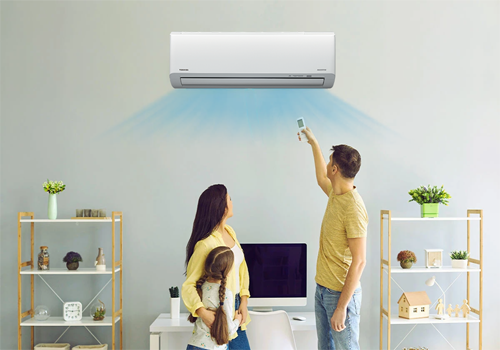
Connect your Airco unit to Homey and control it directly from Homey.
Use the power of Homey flows to automate your airco schedule.
Required Hardware/software: airco is connected to Toshiba Home AC Control App.
Please be aware that due to technical limitations, only the selections in the flows are according to what are allowed values for certain capabilities.
In the capabilities per device, all options are visible and (most of the times) not all are available for your device.
When creating a flow with then cards for a device, the last "then" card should always be "Send changes to AC". If you are using "normal" flows, this card should have a delay of minimal 2 seconds.
When using advanced flows, the delay is not needed because cards are executed in the order you define them (tip: use can use an "all" card to set the capabilities and then the "send changes to AC" card).
Suggestions or problems?
If you have a device that's not supported or a suggestion or problem with this app please go to the forum or the github page linked on this page and let me know.
Read more ›
Flow cards
Click on a device above to show related Flow cards only.
When...
Airconditioners
Turned on
Airconditioners
Turned off
Airconditioners
The temperature changes
Airconditioners
The target temperature changed
Airconditioners
The target power mode changed to ...
Airconditioners
The target temperature changes
Airconditioners
Merit A changes
Airconditioners
Merit B changes
Airconditioners
Pure changes
Airconditioners
Power mode changes
Airconditioners
The fan mode changes
Airconditioners
The ac mode changes
Airconditioners
The swing mode changes
Airconditioners
The status changes
And...
Airconditioners
Is turned on
Airconditioners
The target power mode is ...
Airconditioners
Outside temperature is above Treshhold
Airconditioners
Outside temperature is below Treshhold
Airconditioners
Inside temperature is above Treshhold
Airconditioners
Inside temperature is below Treshhold
Airconditioners
If status is status
Airconditioners
AC is cleaning
Airconditioners
The energy consumption over the last hour is above Treshhold
Airconditioners
The total energy consumption today is above Treshhold
Then...
Airconditioners
Toggle on or off
Airconditioners
Set the temperature °C
Airconditioners
Set the target power mode to ...
Airconditioners
Set mode to Mode, merit A to Merit A and merit B to Merit B
Airconditioners
Set swing mode to Swing mode
Airconditioners
Set power mode to Power mode
Airconditioners
Set fan mode to Fan mode
Airconditioners
Set temperature to Temperature
Airconditioners
Set temperature to Temperature
Airconditioners
Set Merit A to Merit A
Airconditioners
Set Merit B to Merit B
Airconditioners
Set Pure to Target
Airconditioners
Send changes to AC
Support
Having an issue with this app?
Contact the developer via the developer website.
What’s new
Version 4.2.8 — Added standalone Merit A/B flow actions and a status trigger, fixed the device screen defaulting to Merit B, and fixed several crashes seen in production (energy storage errors, AMQP disconnects, and a flow trigger type error).
View changelog