





BenQ Network Projector

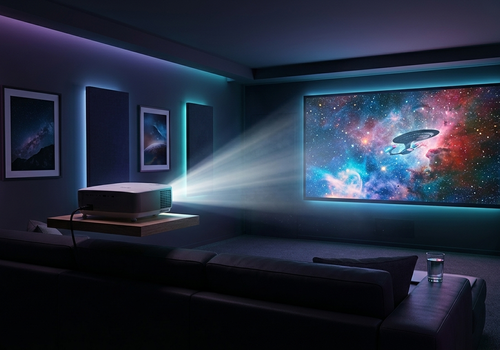
Cinema night, automated.

Read more ›

Supported devices

Flow cards

Click on a device above to show related Flow cards only.

When...

BenQ Network Projector
Turned on
BenQ Network Projector
Turned off
BenQ Network Projector
The volume changed
BenQ Network Projector
The input source changed
i
Triggers when the projector switches to a different input.
BenQ Network Projector
The lamp warning threshold was reached
i
Triggers once when lamp hours cross the warning threshold set in device settings.
BenQ Network Projector
The picture mode changed
i
Triggers when the projector switches to a different picture mode.
BenQ Network Projector
The power state changed
i
Triggers on On, Warming Up, Cooling Down, or Standby transitions.

And...

BenQ Network Projector
Is turned on
BenQ Network Projector
Input source is Source
BenQ Network Projector
Picture mode is Picture Mode
BenQ Network Projector
Power state is Power State

Then...

BenQ Network Projector
Turn on
BenQ Network Projector
Turn off
BenQ Network Projector
Toggle on or off
BenQ Network Projector
Set the volume to %
BenQ Network Projector
Set relative volume %
i
Change the volume with respect to the device's current volume.
BenQ Network Projector
Mute the volume
BenQ Network Projector
Unmute the volume
BenQ Network Projector
Toggle muted volume on or off
BenQ Network Projector
Turn ECO Blank State
i
Blank the screen and dim the lamp, or restore the picture.
BenQ Network Projector
Set input source to Source
i
Switch the projector to a specific input.
BenQ Network Projector
Set picture mode to Picture Mode
i
Switch the projector to a specific picture mode.

Support

Having an issue with this app? Contact the developer via the developer website.

What’s new

Version 1.0.8 — Added flow cards: set input source, picture mode, and ECO Blank from flows, plus triggers and conditions for input, power state, picture mode, and lamp warnings. Also fixed a rare crash in availability reporting.

View changelog

BenQ Network Projector

BenQ Network Projector is not compatible with the selected Homey.

BenQ Network Projector will install on Homey shortly.
Install App