








Z-Wave Energy Consumption and Battery Life: What to Expect
Energy management is a big part of smart living. You want devices that help you save energy, not waste it. Z-Wave is designed with this in mind: its low-power radio and event-driven communication make it naturally efficient, especially for battery devices.
In this spoke, we’ll look at how Z-Wave devices use energy, what realistic battery lifetimes look like and how Homey can help you stay ahead of low batteries and wasteful devices.
Low-Energy Signaling by Design
Z-Wave uses short, focused messages instead of constant data streams. A door contact doesn’t need to send a live video feed; it just needs to say “open” or “closed” when that changes. This event-driven approach lets devices sleep most of the time.
Battery devices wake briefly to send or receive messages, then go back to sleep. Mains-powered devices stay active but are still designed for low consumption in idle states. In a well-designed network, the radio layer in Z-Wave adds very little to your overall energy bill.
Mains-Powered Devices and Overall Energy Use
Mains-powered Z-Wave plugs, switches and modules draw a small amount of standby power. This is usually a fraction of what the connected appliances use, but it still exists.
The trade-off is almost always positive. With Z-Wave plugs and modules, Homey can turn off devices that would otherwise sit in standby all day. A TV, soundbar, game console and various chargers together often waste more than a handful of Z-Wave modules consume.
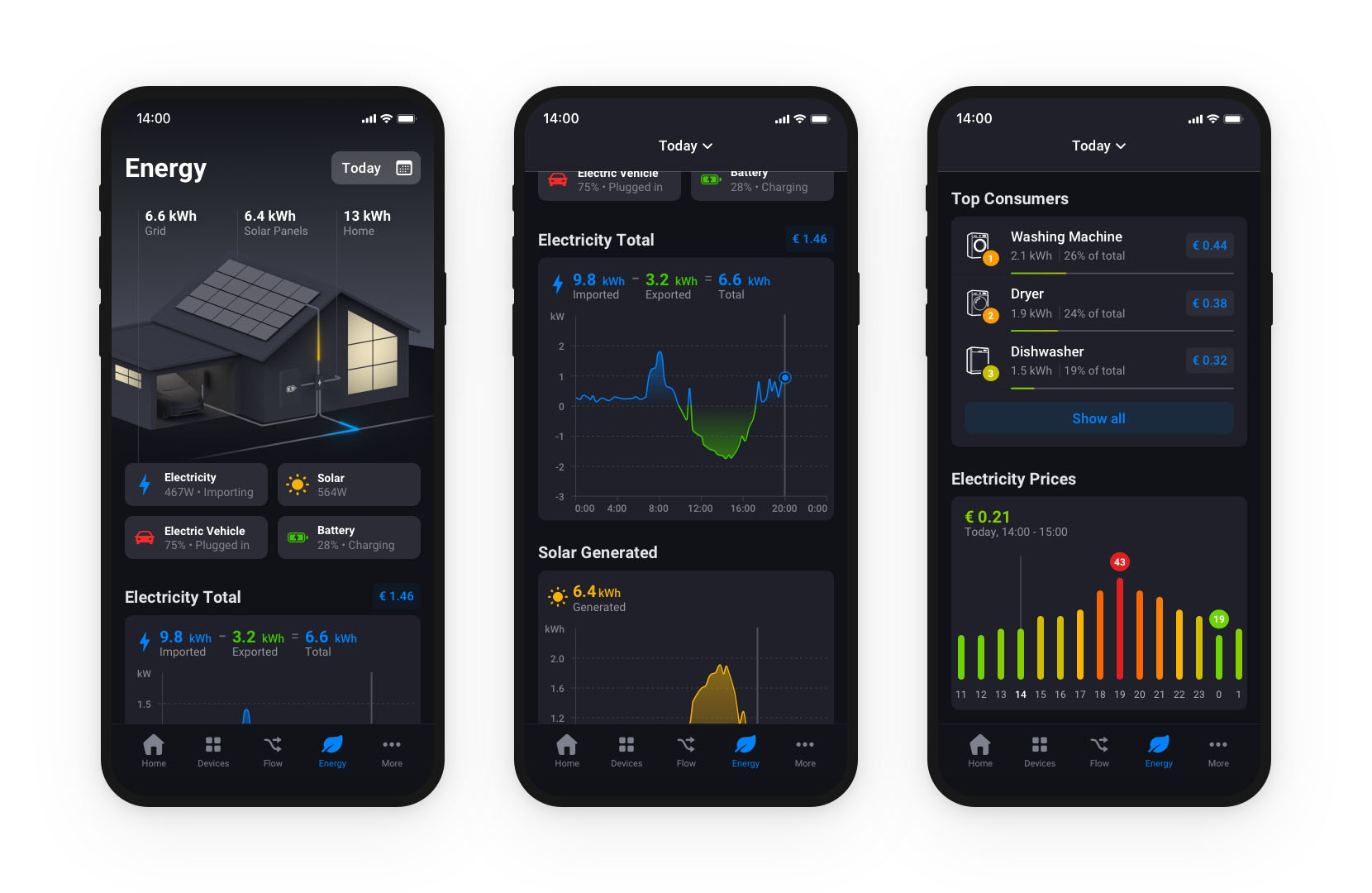
For devices with energy metering, Homey Energy gives insight into actual consumption so you can see where power goes and adjust your Flows to save more than the smart hardware itself uses.
Optimizing Reporting for Efficiency
Some Z-Wave devices let you configure how often they report values like power, temperature or humidity. Overly frequent reports can hurt both battery life and network load without giving you more useful information.
A balanced approach is to report when there is a meaningful change, or at reasonable intervals. For example, temperature changes every few minutes are usually enough; power reports when usage changes by a few percent are often more helpful than constant updates.
In Homey, small tweaks to these settings can extend battery life and reduce unnecessary radio chatter, while still giving you clear insight.
Realistic Battery Life Expectations
While every model is different, there are some practical patterns:
- Motion sensors in busy areas might last one to three years, depending on how often they trigger and how often they report temperature or light levels.
- Door and window sensors can often last several years because they only wake when the state changes.
- Battery-powered thermostats and radiator valves may last one or more heating seasons, depending on how often they adjust and report.
Homey helps by showing battery levels per device and letting you build automations that notify you when batteries are low. Instead of discovering dead sensors by surprise, you can plan a quick “battery round” when it suits you.
Conclusion: Efficient by Nature, Optimised by Design
Z-Wave’s low-energy design makes it a natural fit for battery-powered sensors and long-lived devices. With realistic expectations and a bit of configuration, you can have motion sensors and contacts that quietly serve you for years.
Homey adds the missing piece: clear visibility into battery levels and energy use, plus the ability to automate around them. The result is a smart home that not only feels comfortable and safe, but also uses energy thoughtfully instead of blindly.
FAQ
How long do Z-Wave motion sensor batteries usually last?
Typically one to three years, depending on how often they trigger and how frequently they report extra values like temperature.
Do I need to worry about Z-Wave increasing my energy bill?
The radio modules themselves use very little power. In most cases, the energy you save by smarter control outweighs the small standby use.
Can Homey notify me when batteries are low?
Yes. You can create Flows that send a message or push notification when a device’s battery level drops below a certain threshold.
Why do some devices drain batteries faster than others?
Reporting intervals, sensor sensitivity, location and hardware design all play a role. High traffic or extreme temperatures can also shorten battery life.
Is it better to use rechargeable batteries for Z-Wave devices?
You can, but some devices are calibrated for specific voltage ranges. Always follow manufacturer recommendations and test stability.
Do mains-powered Z-Wave devices use a lot of standby power?
Usually no. Their standby consumption is small compared to the devices they control, especially when used to turn off larger loads.
Can I reduce how often devices report data?
Often yes. Many Z-Wave devices have configuration parameters you can adjust in Homey to change reporting behaviour.
Will frequent inclusion and exclusion affect battery life?
Pairing uses more energy than normal sleep, so repeated inclusion and exclusion can add up. In normal daily use, this is a minor factor.
Does colder weather affect battery-powered Z-Wave devices?
Yes. Batteries generally perform worse at low temperatures, so outdoor or unheated areas may see shorter lifespans.
Can I see total energy usage in Homey?
With compatible metering devices, Homey Energy gives you an overview of consumption per device, per zone and in total.
Glossary
Event-Driven Communication
Event-driven communication means devices send messages only when something relevant changes, such as motion detected or a door opening. Z-Wave relies on this approach to minimise radio activity and save energy.
Sleep Mode
Sleep mode is when a battery-powered device turns off most of its electronics to conserve power. It wakes only when it needs to send data or at scheduled intervals. This is key to achieving multi-year battery life.
Reporting Threshold
A reporting threshold is the amount a measured value must change before a device sends an update. For example, a power meter may report only when usage changes by more than 5%. This helps reduce unnecessary transmissions.
Standby Consumption
Standby consumption is the small amount of power a device uses even when it’s not actively switching or measuring. Smart plugs and modules have some standby draw, but usually less than the devices they help manage.
Battery Level Monitoring
Battery level monitoring lets a controller like Homey display and track the remaining charge in a device’s battery. With this information you can plan replacements before devices stop working.
Energy Metering
Energy metering is the ability to measure and report how much electricity a device or circuit uses. Z-Wave plugs and modules with metering provide data to Homey Energy, enabling more targeted savings.
Duty Cycle
Duty cycle describes how much time a device spends actively transmitting versus idle or asleep. Lower duty cycles generally mean better battery life and less network load.
Power Optimisation
Power optimisation is the process of adjusting settings and behaviour to reduce unnecessary energy use. In a Z-Wave context, this can mean tuning reporting intervals, turning devices fully off and using presence-aware Flows.
Battery Chemistry
Battery chemistry refers to the type of battery (alkaline, lithium, rechargeable NiMH, etc.). Different chemistries behave differently in terms of voltage, lifespan and temperature tolerance, which affects how Z-Wave devices perform.
Homey Energy
Homey Energy is Homey’s overview of energy usage across your devices and zones. It combines data from Z-Wave, Zigbee, Wi-Fi and other devices to show where power is used and where automations can save more.


