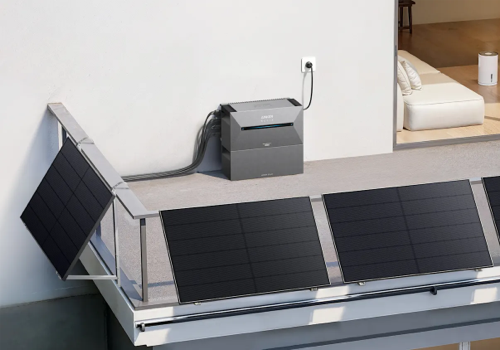
Your home. Your energy.
Connect your Anker SOLIX installation to Homey: monitor solar production, battery storage and grid power, and use the readings in your automations.
Devices and readings
- Solarbank 1, Solarbank 2 Pro/Plus/AC, Solarbank 3 E2700 Pro, Solarbank 4 E5000 Pro, Solarbank Max and Max AC. Anker SOLIX X1 is recognised for monitoring; control support depends on the model.
- Smart meters connected to the Anker installation: Anker Smart Meter, Smart Meter Gen 2, P1 Meter, Shelly 3EM/Pro 3EM and EverHome EcoTracker IR.
- Individual reported PV inputs or combined PV production as a grouped solar panel device.
- Depending on the model and Cloud data: battery level, charging/discharging power, solar and grid power, home consumption, temperature, battery capacity and stored energy.
- Daily energy values in kWh for Homey Insights, Flows and HomeyScript, including solar production, battery charging/discharging, grid import/export and home consumption.
Automations
- React to changes in solar power, battery level, temperature, Cloud connectivity and daily energy values.
- Choose an operating mode from a dropdown: Smart Meter, Smart Plugs, Manual schedule or an existing Time of Use plan. Availability depends on model, firmware and installation equipment; Solarbank 1 does not support this mode control.
- From Solarbank 2 onwards, change the power preset in the current Manual or Smart Plugs schedule.
- Set the separate AC output limit on compatible Solarbank 3/4 and Max models, including in Smart Meter mode. Only wattages offered by Anker are accepted. Standalone Solarbank 2 AC/Pro/Plus can use the action with optional Anker MQTT enabled in device settings. MQTT is off by default and also supplies Solarbank 1/2/3/4 temperatures; no separate broker is required. Parallel/dock limit control is not included.
Setup
1) Use Homey 12.4.5 or newer and an active internet connection. The app runs on Homey Pro, not Homey Bridge.
2) In Homey: Add device → Anker Solix → Solarbank (all generations).
3) Sign in with your Anker account and select its country/region.
4) Select a device; optionally add a Smart Meter and individual or grouped solar panels.
5) Under Settings → Apps → Anker Solix → Settings, save the default country for further pairing. Change the region of existing devices in their device settings.
Good to know
- The app uses the Anker Cloud. Readings may be delayed; missing Cloud data remains unknown.
- Daily energy values are site totals where applicable. Do not add readings from multiple Solarbanks belonging to the same site.
- For Homey Energy, use grouped solar panels OR individual PV inputs to avoid counting production twice.
- Mode, schedule and AC-limit commands may affect the entire Anker site. A confirmed Cloud setting does not confirm the immediately measured device output.
- Existing paired Solarbanks remain available after updates; no re-pairing is required.
- Smart plugs, PowerDocks and Prime Chargers are not offered as separate Homey devices. Features and data availability depend on the model and firmware.
Documentation (English and German)
https://anker-solix-homey.tilwegener.de/
Support and bug reports
https://github.com/tilwegener/Anker-Solix-Homey-App/issues
Read more ›