



Warning! This app might not work properly.
This app version is currently being tested, and has not yet been reviewed. It might not work as expected.
Be extra careful when installing this app.
« Back to the regular version
Eplucon Heat Pump
=================
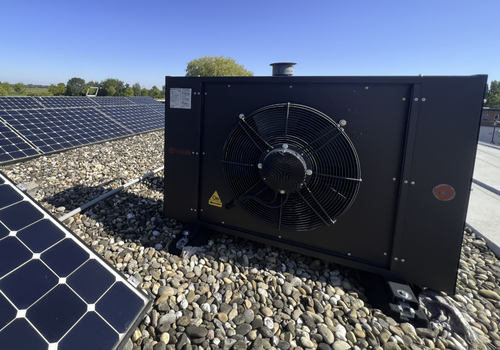
This app integrates Eplucon Ecoforest Heat Pumps with Homey.
It allows you to monitor temperatures, pressure, and energy consumption directly from your Homey dashboard.
Connect your heat pump by logging in with your Eplucon Portal credentials.
The app communicates locally with Homey Pro.
INSTALLATION & DEVELOPMENT GUIDE
================================
Prerequisites:
- Homey Pro (2016 - 2023 models)
- Computer with Node.js installed (https://nodejs.org)
- Command line interface (Terminal/PowerShell)
Step 1: Install Homey CLI
> npm install -g homey
Step 2: Log in to Homey
> homey login
Step 3: Setup Project (CRITICAL - DO NOT SKIP)
Navigate to the homey-app directory:
> cd /path/to/homey-app
Install dependencies BEFORE building:
> npm install
This installs node-fetch and other required packages.
Step 4: Build & Run Locally
Build the app:
> homey app build
Run it on your Homey for testing:
> homey app run
Step 5: Validation (Before Publishing)
Check if your app meets App Store requirements:
> homey app validate --level publish
Step 6: Publish to Homey App Store
Submit your app for review:
> homey app publish
TROUBLESHOOTING
===============
ERROR: "npm error missing: node-fetch@^2.6.7"
SOLUTION: You forgot Step 3. Run `npm install` in the homey-app folder, then try building again.
WARNING: "Could not find a Homey Compose app.json manifest"
This is normal and can be ignored. The build process handles it automatically.
ERROR: "Authentication failed" during pairing
Check your Eplucon Portal username and password are correct.
TIP: Use `homey app run` to see live logs and debug issues in real-time.
Read more ›
Flow cards
Click on a device above to show related Flow cards only.
When...
Ecoforest Heat Pump
The pressure changed
Ecoforest Heat Pump
The power meter changed
Ecoforest Heat Pump
The power changed
Ecoforest Heat Pump
The target temperature changed
Ecoforest Heat Pump
Heating (DG1) State
Ecoforest Heat Pump
Hot water heating State
Ecoforest Heat Pump
Hot water tap opened (boiler temperature dropping)
Ecoforest Heat Pump
Hot water tap closed (boiler temperature stable)
Ecoforest Heat Pump
Operation mode changed to Mode
Then...
Ecoforest Heat Pump
Set the temperature °C
Support
Having an issue with this app?
Contact the developer via email.
What’s new
Version 2.0.0 — Support for Eplucon Connect alongside e-control/TH-Touch. New: energy today split into heating, cooling, hot water and standby (selectable as tile status), heat pump in Homey Energy, hot water tap detection with flow cards, COP, delivered power, humidity, defrost and Delta T. Moving to Connect? Pair the heat pump again and set the old device to Archive in its settings to keep its history.
View changelog