
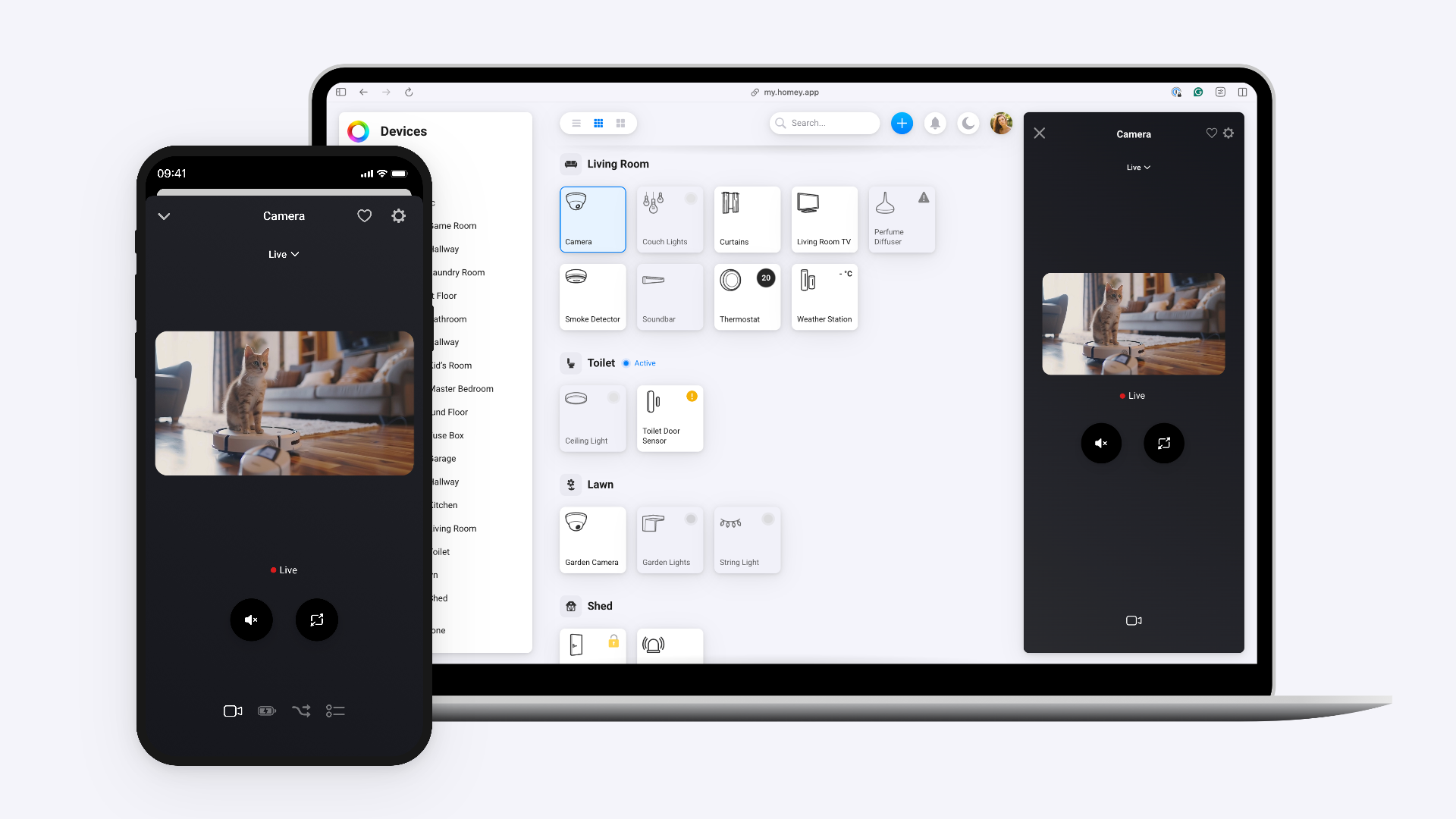



Homey Screenshot

Screenshot app for Homey.

Read more ›

Supported devices

Flow cards

Click on a device above to show related Flow cards only.

When...

Curtains
The state changed ...
Curtains
Closed
Curtains
Opened
Doorbell
When the doorbell rings
Electric Car
The battery charging state changed ...
Electric Car
The battery level changed
Fan
Turned on
Fan
Turned off
Fan
The dim level changed
Garagedoor
Closed
Garagedoor
Opened
Gas Meter Static
The gas meter changed
Home Alarm
The state changed ...
Home Battery
The power changed
Home Battery
The battery level changed
Lock
Locked
Lock
Unlocked
Lock
Lock mode changed ...
Smart Meter Static
The power changed
Smart Meter Static
The gas meter changed
Smart Meter with Updates
The power changed
Smart Meter with Updates
The gas meter changed
Solar Panels
The power changed
Solar Panels
The power meter changed
Solar Panels Static
The power changed
Solar Panels Static
The power meter changed
Speaker
Started playing
Speaker
Stopped playing
Speaker
The artist changed
Speaker
The album changed
Speaker
The track changed
Speaker
The volume changed
TV
Turned on
TV
Turned off
Vacuum Cleaner
The state changed to... ...
Water Meter Static
The water meter changed

And...

Curtains
The state is  ...
Curtains
Are closed
Electric Car
The battery charging state is ...
Fan
Is turned on
Garagedoor
Is closed
Home Alarm
The state is  ...
Lock
A lock is locked
Lock
Lock mode is ...
Speaker
Is playing
TV
Is turned on
Vacuum Cleaner
The vacuum cleaner is ...

Then...

Curtains
Set state ...
Curtains
Close
Curtains
Open
Curtains
Toggle open or closed
Fan
Turn on
Fan
Turn off
Fan
Toggle on or off
Fan
Dim to %
Fan
Set relative dim-level %
i
Dim or brighten with respect to the device's current dim-level.
Garagedoor
Close
Garagedoor
Open
Garagedoor
Toggle open or closed
Home Alarm
Set state ...
Lock
Lock
Lock
Unlock
Lock
Set mode ...
Remote
Turn the volume up
Remote
Turn the volume down
Remote
Mute the volume
Remote
Unmute the volume
Remote
Toggle muted volume on or off
Remote
One channel up
Remote
One channel down
Speaker
Play
Speaker
Pause
Speaker
Toggle Play/Pause
Speaker
Next
Speaker
Previous
Speaker
Shuffle on
Speaker
Shuffle off
Speaker
Repeat ...
Speaker
Set the volume to %
Speaker
Set relative volume %
i
Change the volume with respect to the device's current volume.
Speaker
Turn the volume up
Speaker
Turn the volume down
TV
Turn on
TV
Turn off
TV
Toggle on or off
Vacuum Cleaner
Start cleaning
Vacuum Cleaner
Start spot cleaning
Vacuum Cleaner
Return to dock
Vacuum Cleaner
Stop

Support

Having an issue with this app? Get help from

Homey Support

What’s new

Version 2.12.3 — Updated device classes & capabilities.

View changelog

Homey Screenshot

Homey Screenshot is not compatible with the selected Homey.

Homey Screenshot will install on Homey shortly.
Install App